⚡ CheckoutAndBuild is back — rebuilt for Visual Studio 2022 & 2026

Your whole codebase.
One click. Up to date.

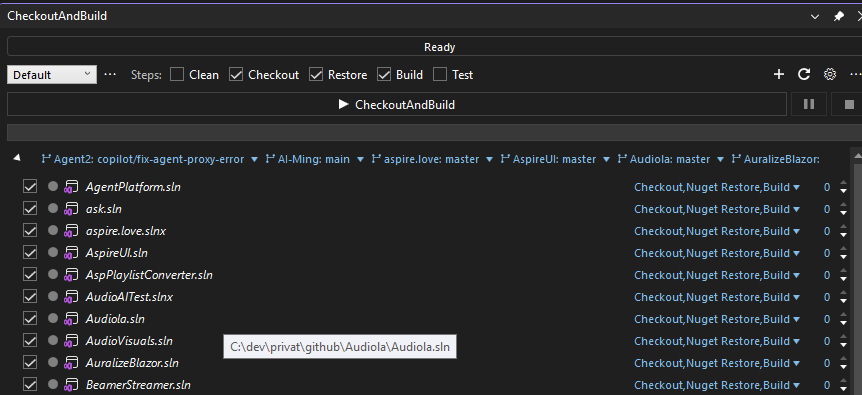
Local one-click CI inside Visual Studio: clean, git checkout, restore, build and test any number of solutions — out of process, in parallel, before you even open them.

Free & open source · Visual Studio 2022 / 2026 (amd64) · git on PATH
CheckoutAndBuild main window

Get CheckoutAndBuild

One extension for Visual Studio, one plugin for every JetBrains IDE — both free, both from the same engine idea.

Visual Studio

Full experience: pipeline, git cockpit with worktrees, dependency-based build order, Azure DevOps tools. Visual Studio 2022 / 2026, amd64.

  1. Double-click the .vsix (or install via Extensions → Manage Extensions)
  2. Restart Visual Studio → View → Other Windows → CheckoutAndBuild
JB

JetBrains IDEs

RD IJ PS WS GO CL

One plugin for Rider, IntelliJ IDEA, PhpStorm, WebStorm, GoLand, CLion & co: detects .NET, Gradle, Maven, npm, Composer, Cargo and Go projects and runs pull → install → build → test.

  1. Settings → Plugins → ⚙ (gear) → Install Plugin from Disk…
  2. Pick the downloaded zip, restart the IDE
  3. Open the CheckoutAndBuild tool window at the bottom
Looking for the classics? The original extensions are still on the marketplace: VS 2013· VS 2015· VS 2017

Back from the dead — better than ever

The last CheckoutAndBuild shipped for Visual Studio 2017 as a Team Explorer extension. This is the full comeback: rewritten from the ground up.
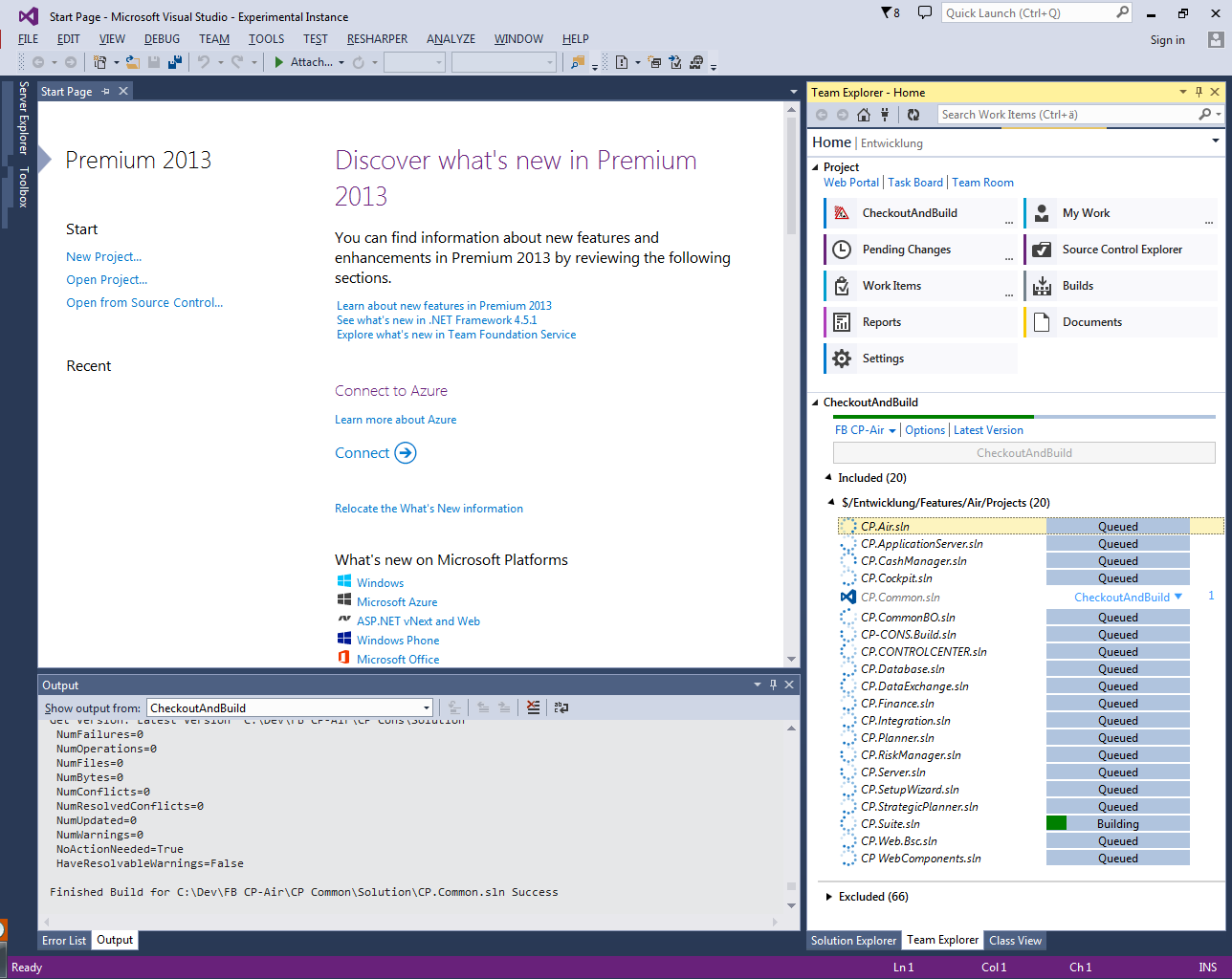
The classic CheckoutAndBuild
The classic (VS 2015–2017)
  • IDE-free engine — every step runs out of process (git, msbuild, vstest, nuget), nothing can freeze your IDE
  • Git-only and modern — no TFVC baggage, first-class branches, stashes and worktrees
  • Everything the classic had — profiles, plugins, per-solution settings, script export, Error List integration
  • Plus a lot it never had — worktree manager, multi-repo sync, build ETA, dependency-based build order

Everything between pull and F5

Pick your working folders, tick the steps, press one button — CheckoutAndBuild does the rest.

🚀

One-click pipeline

Clean → checkout → restore → build → test for every included solution, with per-solution overrides.

Parallel & ordered

Same-priority solutions build in parallel. A dependency scan suggests the right build order automatically.

⏱️

Live status & ETA

Elapsed time, remaining estimate, per-solution progress, taskbar progress and a retry-failed-only button.

🌿

Git cockpit

Changes with real VS diff, stage/unstage, commit & push, stashes, filtered history and branch management.

🌳

Worktree manager

List, create, remove and prune git worktrees — and switch between them right from the main window.

🔄

Multi-repo sync

Fetch, pull or push all repositories at once, check out the same branch everywhere, clean up merged branches.

🧩

Profiles & plugins

Working profiles, per-branch settings and a MEF plugin API for custom services, actions and settings pages.

🎯

Error List integration

Build errors and test failures land in the Visual Studio Error List — double-click jumps straight to the code.

📋

Azure DevOps

Work item query view and text search & replace across work item fields, straight over the REST API.

Getting started

Install the extensionFrom the Marketplace or the latest release, then restart Visual Studio.
Open the windowView → Other Windows → CheckoutAndBuild
Add working foldersSolutions and git repositories are discovered automatically.
Press CheckoutAndBuildWatch everything clean, pull, restore, build and test — in one run.

Read the full documentation →