MudExUploadEdit
MudExUploadEdit is a versatile file upload component with a wide range of features including MIME and extension whitelisting/blacklisting, folder upload, drag and drop, copy and paste, renaming, and integration with cloud storage providers like Dropbox, Google Drive, and OneDrive.
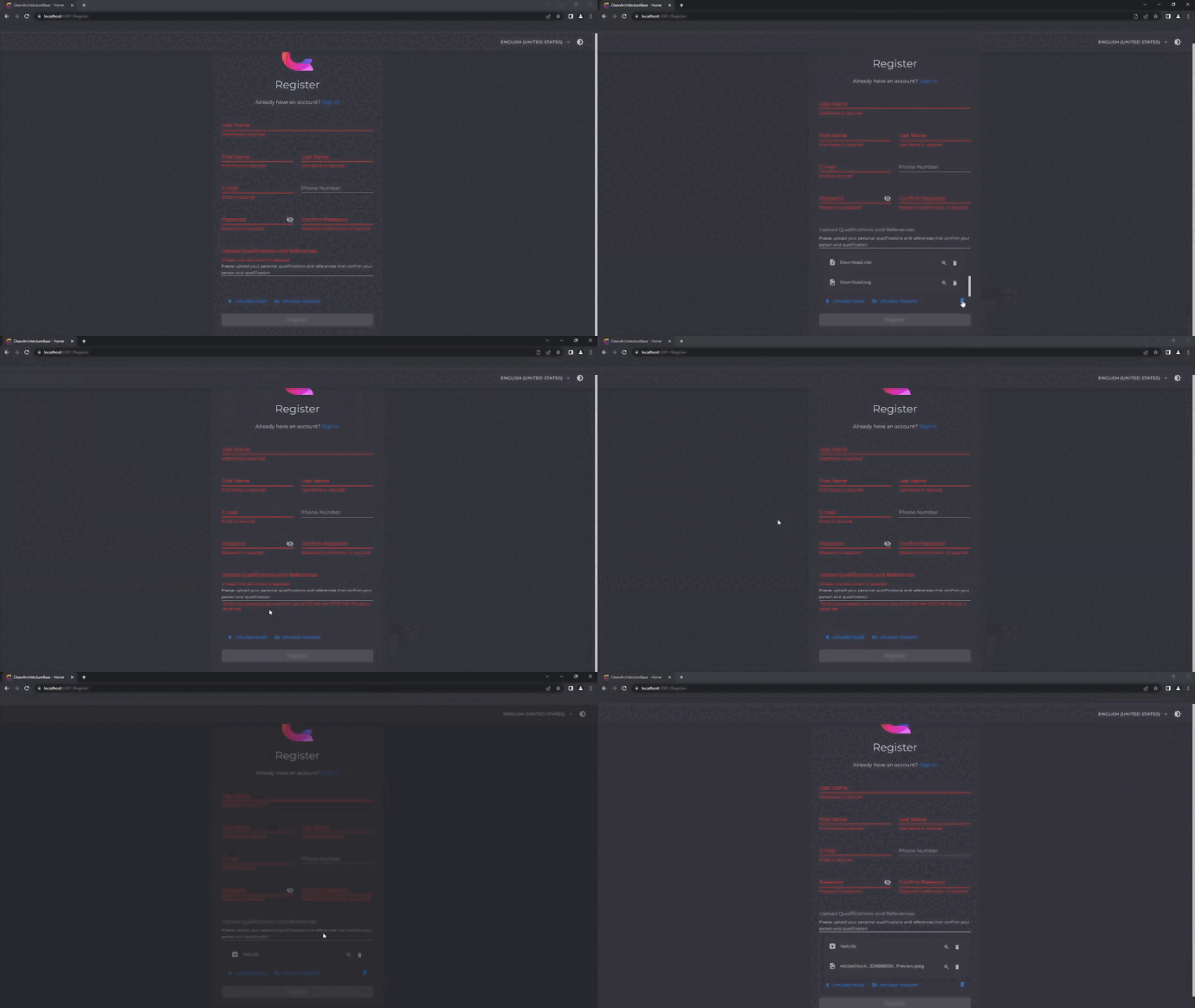
Features
- ✅ Multiple Upload Methods - File picker, drag & drop, paste, and cloud storage
- ✅ Cloud Integration - Dropbox, Google Drive, OneDrive support
- ✅ File Validation - MIME type and extension restrictions
- ✅ File Preview - Built-in preview for various file types
- ✅ Drag & Drop - Intuitive drag and drop interface
- ✅ Folder Upload - Upload entire folders at once
- ✅ File Management - Rename, remove, and organize files
- ✅ Highly Customizable - Extensive styling and behavior options
Basic Usage
Simple File Upload
<MudExUploadEdit @bind-Files="@selectedFiles" />

@code {
    private List<IBrowserFile> selectedFiles = new();
}
Single File Upload
With File Size Limit
<MudExUploadEdit @bind-Files="@selectedFiles"
                 MaxFileSize="10485760"
                 TextErrorMaxFileSize="File size must not exceed 10 MB" />

@code {
    // MaxFileSize is in bytes (10485760 = 10 MB)
}
File Restrictions
Extension Whitelist
Allow only specific file extensions:
<MudExUploadEdit @bind-Files="@selectedFiles"
                 Extensions="@(new[] { ".pdf", ".docx", ".txt" })"
                 ExtensionRestrictionType="RestrictionType.WhiteList"
                 TextErrorExtensionNotAllowed="Only PDF, DOCX, and TXT files are allowed" />
Extension Blacklist
Block specific file extensions:
<MudExUploadEdit @bind-Files="@selectedFiles"
                 Extensions="@(new[] { ".exe", ".bat", ".cmd" })"
                 ExtensionRestrictionType="RestrictionType.BlackList"
                 TextErrorExtensionForbidden="Executable files are not allowed" />
MIME Type Restrictions
Restrict by MIME type:
<MudExUploadEdit @bind-Files="@selectedFiles"
                 MimeTypes="@(new[] { "image/png", "image/jpeg", "image/gif" })"
                 MimeRestrictionType="RestrictionType.WhiteList"
                 TextErrorMimeTypeNotAllowed="Only image files are allowed" />
Cloud Storage Integration
Setup
First, configure cloud storage providers in your Program.cs:
builder.Services.AddMudServicesWithExtensions(c =>
{
    c.EnableDropBoxIntegration("<DROP_BOX_API_KEY>")
     .EnableGoogleDriveIntegration("<GOOGLE_DRIVE_CLIENT_ID>")
     .EnableOneDriveIntegration("<ONE_DRIVE_CLIENT_ID>");
});
OneDrive Script Required
For OneDrive integration, add this script to your index.html or _Host.cshtml:
Enable Cloud Providers
<MudExUploadEdit @bind-Files="@selectedFiles"
                 AllowDropBox="true"
                 AllowGoogleDrive="true"
                 AllowOneDrive="true"
                 DropBoxApiKey="@dropboxApiKey"
                 GoogleDriveClientId="@googleClientId"
                 OneDriveClientId="@oneDriveClientId" />

@code {
    private string dropboxApiKey = "your-api-key";
    private string googleClientId = "your-client-id";
    private string oneDriveClientId = "your-client-id";
}
Customization
Custom Templates
Item Template
Customize how uploaded files are displayed:
<MudExUploadEdit @bind-Files="@selectedFiles">
    <ItemTemplate Context="file">
        <MudCard>
            <MudCardContent>
                <MudText>@file.Name</MudText>
                <MudText Typo="Typo.caption">@file.Size bytes</MudText>
            </MudCardContent>
        </MudCard>
    </ItemTemplate>
</MudExUploadEdit>
Drop Zone Template
Customize the empty state:
<MudExUploadEdit @bind-Files="@selectedFiles">
    <DropZoneTemplate>
        <MudPaper Elevation="0" Class="pa-4 ma-2">
            <MudIcon Icon="@Icons.Material.Filled.CloudUpload" Size="Size.Large" />
            <MudText Typo="Typo.h6">Drag & Drop Files Here</MudText>
            <MudText Typo="Typo.body2">Or click to browse</MudText>
        </MudPaper>
    </DropZoneTemplate>
</MudExUploadEdit>
Styling Options
<MudExUploadEdit @bind-Files="@selectedFiles"
                 ButtonVariant="Variant.Filled"
                 ButtonColor="Color.Primary"
                 ButtonSize="Size.Medium"
                 ButtonsJustify="Justify.Center"
                 Variant="Variant.Outlined" />
Button Visibility
Control which buttons are shown:
<MudExUploadEdit @bind-Files="@selectedFiles"
                 ShowFileUploadButton="true"
                 ShowFolderUploadButton="true"
                 ShowClearButton="true"
                 AllowRemovingItems="true" />
Advanced Features
Auto Extract Archives
Automatically extract ZIP and other archive files:
File Preview
Enable/disable file preview:
<MudExUploadEdit @bind-Files="@selectedFiles"
                 AllowPreview="true"
                 StreamUrlHandling="StreamUrlHandling.BlobUrl" />
Rename Files
Allow users to rename uploaded files:
Duplicate Handling
<MudExUploadEdit @bind-Files="@selectedFiles"
                 AllowDuplicates="false"
                 TextErrorDuplicateFile="This file has already been uploaded" />
Background Data Loading
Load file data in the background:
<MudExUploadEdit @bind-Files="@selectedFiles"
                 AutoLoadFileDataBytes="true"
                 LoadFileDataBytesInBackground="true"
                 ShowProgressForLoadingData="true" />
Error Handling
Display Errors
<MudExUploadEdit @bind-Files="@selectedFiles"
                 DisplayErrors="true"
                 ErrorAnimation="AnimationType.Pulse"
                 AutoRemoveError="true"
                 RemoveErrorAfter="TimeSpan.FromSeconds(5)"
                 RemoveErrorOnChange="true" />
Custom Error Messages
<MudExUploadEdit @bind-Files="@selectedFiles"
                 TextErrorDuplicateFile="File already exists!"
                 TextErrorMaxFileSize="File is too large!"
                 TextErrorMaxFileCount="Too many files selected!"
                 TextErrorExtensionNotAllowed="File type not allowed!"
                 TextErrorExtensionForbidden="File type is forbidden!"
                 TextErrorMimeTypeNotAllowed="MIME type not allowed!"
                 TextErrorMimeTypeForbidden="MIME type is forbidden!" />
Parameters Reference
File Management
| Parameter | Type | Default | Description |
|---|---|---|---|
Files |
List<IBrowserFile> |
- | Bound list of selected files |
AllowMultiple |
bool |
true |
Allow multiple file selection |
AllowFolderUpload |
bool |
true |
Enable folder upload |
MaxMultipleFiles |
int |
100 |
Maximum number of files |
MaxFileSize |
long? |
null |
Maximum file size in bytes |
AllowDuplicates |
bool |
false |
Allow duplicate files |
File Restrictions
| Parameter | Type | Default | Description |
|---|---|---|---|
Extensions |
string[] |
- | File extensions for filtering |
ExtensionRestrictionType |
RestrictionType |
WhiteList |
Extension restriction mode |
MimeTypes |
string[] |
- | MIME types for filtering |
MimeRestrictionType |
RestrictionType |
WhiteList |
MIME type restriction mode |
Cloud Storage
| Parameter | Type | Default | Description |
|---|---|---|---|
AllowDropBox |
bool |
true |
Enable Dropbox integration |
AllowGoogleDrive |
bool |
true |
Enable Google Drive integration |
AllowOneDrive |
bool |
true |
Enable OneDrive integration |
DropBoxApiKey |
string |
- | Dropbox API key |
GoogleDriveClientId |
string |
- | Google Drive client ID |
OneDriveClientId |
string |
- | OneDrive client ID |
UI Customization
| Parameter | Type | Default | Description |
|---|---|---|---|
Label |
string |
- | Component label |
HelperText |
string |
- | Helper text below component |
ButtonVariant |
Variant |
Text |
Button variant |
ButtonColor |
Color |
Primary |
Button color |
ButtonSize |
Size |
Small |
Button size |
ButtonsJustify |
Justify |
Center |
Button alignment |
Variant |
Variant |
- | Component variant |
Behavior
| Parameter | Type | Default | Description |
|---|---|---|---|
AllowRename |
bool |
true |
Allow file renaming |
AllowPreview |
bool |
true |
Enable file preview |
AllowDrop |
bool |
true |
Enable drag & drop |
AllowExternalUrl |
bool |
true |
Allow external URL input |
AutoExtractArchive |
bool |
false |
Auto extract ZIP files |
ReadOnly |
bool |
false |
Read-only mode |
Display Options
| Parameter | Type | Default | Description |
|---|---|---|---|
ShowFileUploadButton |
bool |
true |
Show file upload button |
ShowFolderUploadButton |
bool |
true |
Show folder upload button |
ShowClearButton |
bool |
true |
Show clear all button |
AllowRemovingItems |
bool |
true |
Allow removing items |
Data Loading
| Parameter | Type | Default | Description |
|---|---|---|---|
AutoLoadFileDataBytes |
bool |
true |
Auto load file bytes |
LoadFileDataBytesInBackground |
bool |
true |
Load in background |
ShowProgressForLoadingData |
bool |
false |
Show loading progress |
Events
File Change Event
<MudExUploadEdit FilesChanged="@OnFilesChanged" />

@code {
    private void OnFilesChanged(List<IBrowserFile> files)
    {
        Console.WriteLine($"Selected {files.Count} files");
        foreach (var file in files)
        {
            Console.WriteLine($"- {file.Name} ({file.Size} bytes)");
        }
    }
}
Complete Example
@page "/upload-demo"
@using Microsoft.AspNetCore.Components.Forms

<MudText Typo="Typo.h4" Class="mb-4">File Upload Demo</MudText>

<MudExUploadEdit @bind-Files="@selectedFiles"
                 Label="Upload Documents"
                 HelperText="Upload PDF, Word, or Excel files (max 10 MB)"
                 AllowMultiple="true"
                 MaxFileSize="10485760"
                 Extensions="@allowedExtensions"
                 ExtensionRestrictionType="RestrictionType.WhiteList"
                 AllowPreview="true"
                 AllowRename="true"
                 AllowDropBox="true"
                 AllowGoogleDrive="true"
                 ButtonVariant="Variant.Filled"
                 ButtonColor="Color.Primary"
                 TextErrorMaxFileSize="File size must not exceed 10 MB"
                 TextErrorExtensionNotAllowed="Only PDF, Word, and Excel files are allowed" />

<MudText Class="mt-4">Selected Files: @selectedFiles.Count</MudText>

@if (selectedFiles.Any())
{
    <MudList>
        @foreach (var file in selectedFiles)
        {
            <MudListItem Icon="@Icons.Material.Filled.InsertDriveFile">
                <MudText>@file.Name</MudText>
                <MudText Typo="Typo.caption">@FormatFileSize(file.Size)</MudText>
            </MudListItem>
        }
    </MudList>

    <MudButton Variant="Variant.Filled"
               Color="Color.Primary"
               OnClick="@UploadFiles">
        Upload Files
    </MudButton>
}

@code {
    private List<IBrowserFile> selectedFiles = new();

    private string[] allowedExtensions = new[]
    {
        ".pdf", ".doc", ".docx", ".xls", ".xlsx"
    };

    private async Task UploadFiles()
    {
        foreach (var file in selectedFiles)
        {
            try
            {
                // Read file content
                using var stream = file.OpenReadStream(maxAllowedSize: 10485760);
                using var ms = new MemoryStream();
                await stream.CopyToAsync(ms);

                // Process file (save to server, database, etc.)
                Console.WriteLine($"Uploaded: {file.Name}");
            }
            catch (Exception ex)
            {
                Console.WriteLine($"Error uploading {file.Name}: {ex.Message}");
            }
        }
    }

    private string FormatFileSize(long bytes)
    {
        string[] sizes = { "B", "KB", "MB", "GB" };
        double len = bytes;
        int order = 0;
        while (len >= 1024 && order < sizes.Length - 1)
        {
            order++;
            len = len / 1024;
        }
        return $"{len:0.##} {sizes[order]}";
    }
}
Live Demo
Experience the component in action: Upload Edit Demo
See Also
- File Display - Display uploaded files
- Object Edit - Form generation
- Dialog Extensions - Enhanced dialogs