Dialog Extensions
DialogService Extensions
Resizable or Draggable Dialogs
You can make your dialogs resizable or draggable using the following code snippet:
var options = new DialogOptionsEx { Resizeable = true, DragMode = MudDialogDragMode.Simple, CloseButton = true, FullWidth = true };
var dialog = await _dialogService.ShowEx<YourMudDialog>("Your Dialog Title", parameters, options);
Adding a Maximize Button
You can add a maximize button to your dialogs with the following code:
var options = new DialogOptionsEx { MaximizeButton = true, CloseButton = true };
var dialog = await _dialogService.ShowEx<YourMudDialog>("Your Dialog Title", parameters, options);
Adding Custom Buttons
To add custom buttons to your dialog, first define the callback methods as JSInvokable in your component code:
[JSInvokable]
public void AlarmClick()
{
   // OnAlarmButton Click
}

[JSInvokable]
public void ColorLensClick()
{
   // OnColorLensButton Click
}
Next, define your custom buttons:
var buttons = new[]
{
    new MudDialogButton( DotNetObjectReference.Create(this as object), nameof(AlarmClick)) {Icon = Icons.Material.Filled.Alarm},
    new MudDialogButton( DotNetObjectReference.Create(this as object), nameof(ColorLensClick)) {Icon = Icons.Material.Filled.ColorLens},
};
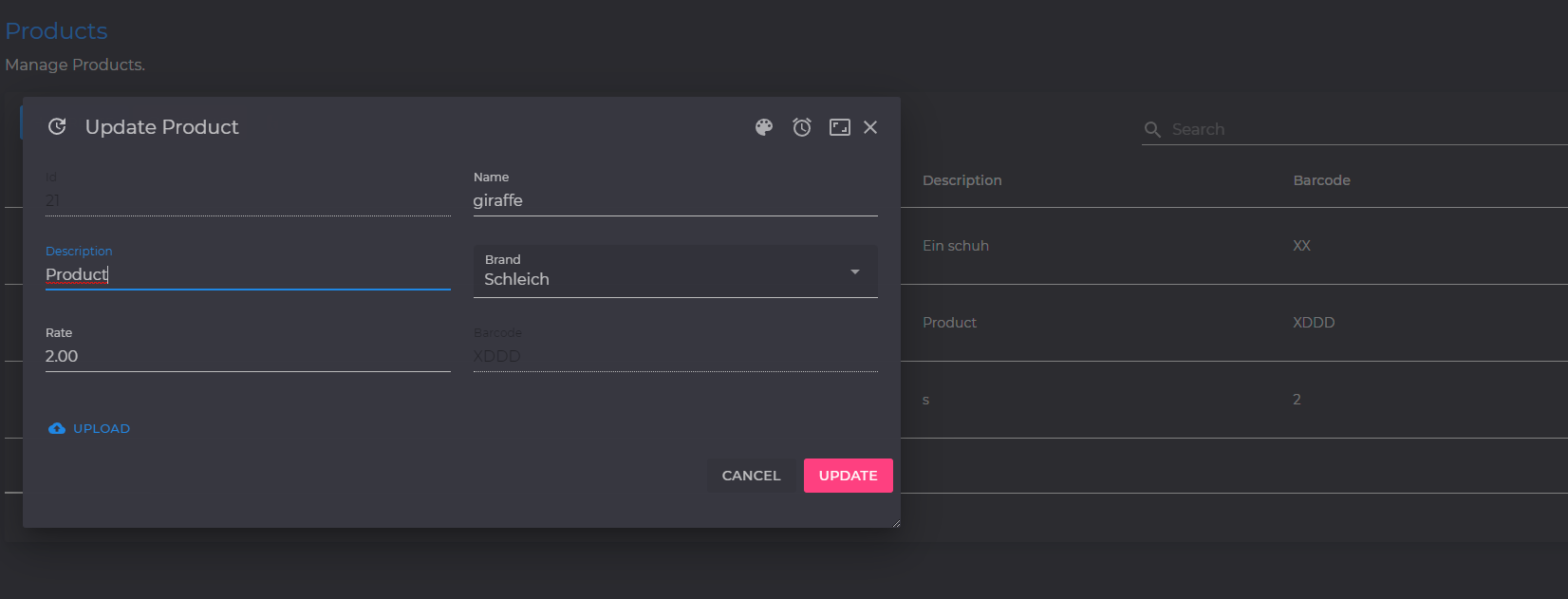
Finally, add your custom buttons to the dialog:
var options = new DialogOptionsEx { MaximizeButton = true, CloseButton = true, Buttons = buttons };
var dialog = await _dialogService.ShowEx<YourMudDialog>("Your Dialog Title", parameters, options);
Your dialog can now look like this:
Using Animation to Show Dialog
You can use animation to display your dialog. This is done by setting the Animation property of DialogOptionsEx.
var options = new DialogOptionsEx {
    MaximizeButton = true,
    CloseButton = true,
    Buttons = buttons,
    Position = DialogPosition.CenterRight,
    Animation = AnimationType.SlideIn,
    AnimationDuration = TimeSpan.FromMilliseconds(500),
    FullHeight = true
};
var dialog = await _dialogService.ShowEx<YourMudDialog>("Your Dialog Title", parameters, options);
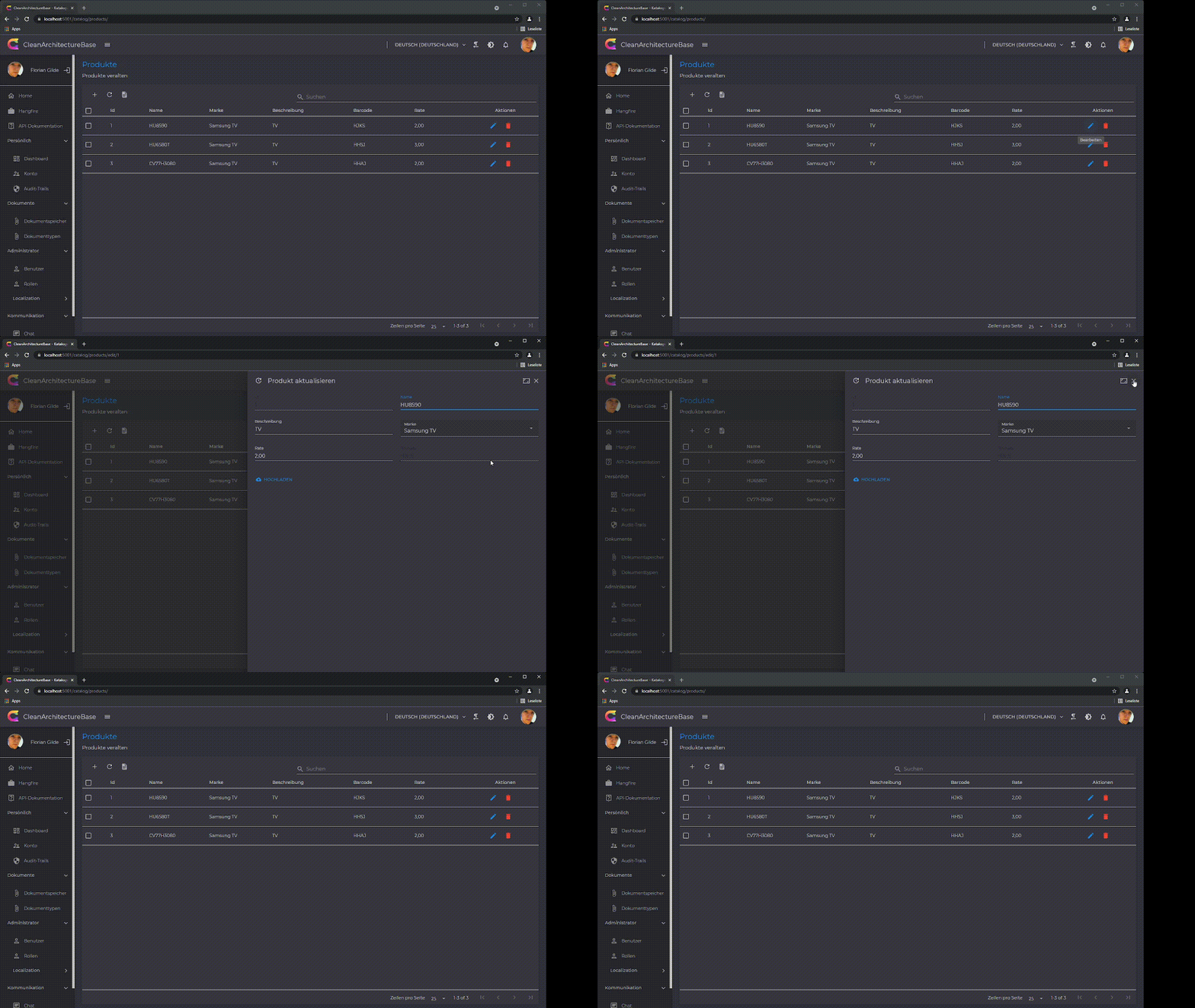
When you animate a dialog with dialogServiceEx, it's recommended to add the class mud-ex-dialog-initial to your dialog to ensure no visibility before animation.
NOTE: All animations can be used on other components as well. Currently, the following animations are supported:
SlideIn,FadeIn,Scale,Slide,Fade,Zoom,Roll,JackInTheBox,Hinge,Rotate,Bounce,Back,Jello,Wobble,Tada,Swing,HeadShake,Shake,RubberBand,Pulse,Flip,FlipX,FlipY.
Using Extension Method with an Action<YourDialog>
Instead of using DialogParameters, you can call the extension method with an Action<YourDialog>