
Module guides
Coworkee is organised into a set of modules, reachable from the sidebar after login. This page explains how to use each one. Visibility of actions depends on your role.
Employees & org chart
The Employees directory is the heart of Coworkee.
- Directory — search, filter and page through everyone. Everyone can browse; HR/Admin can create and edit.
- Profiles — each employee has a detail profile: contact data, role, department, contract type, manager, start date, plus tabs for documents and absence.
- Create / edit — HR/Admin add new employees and keep records current. Setting an employee's manager is what builds the reporting lines.
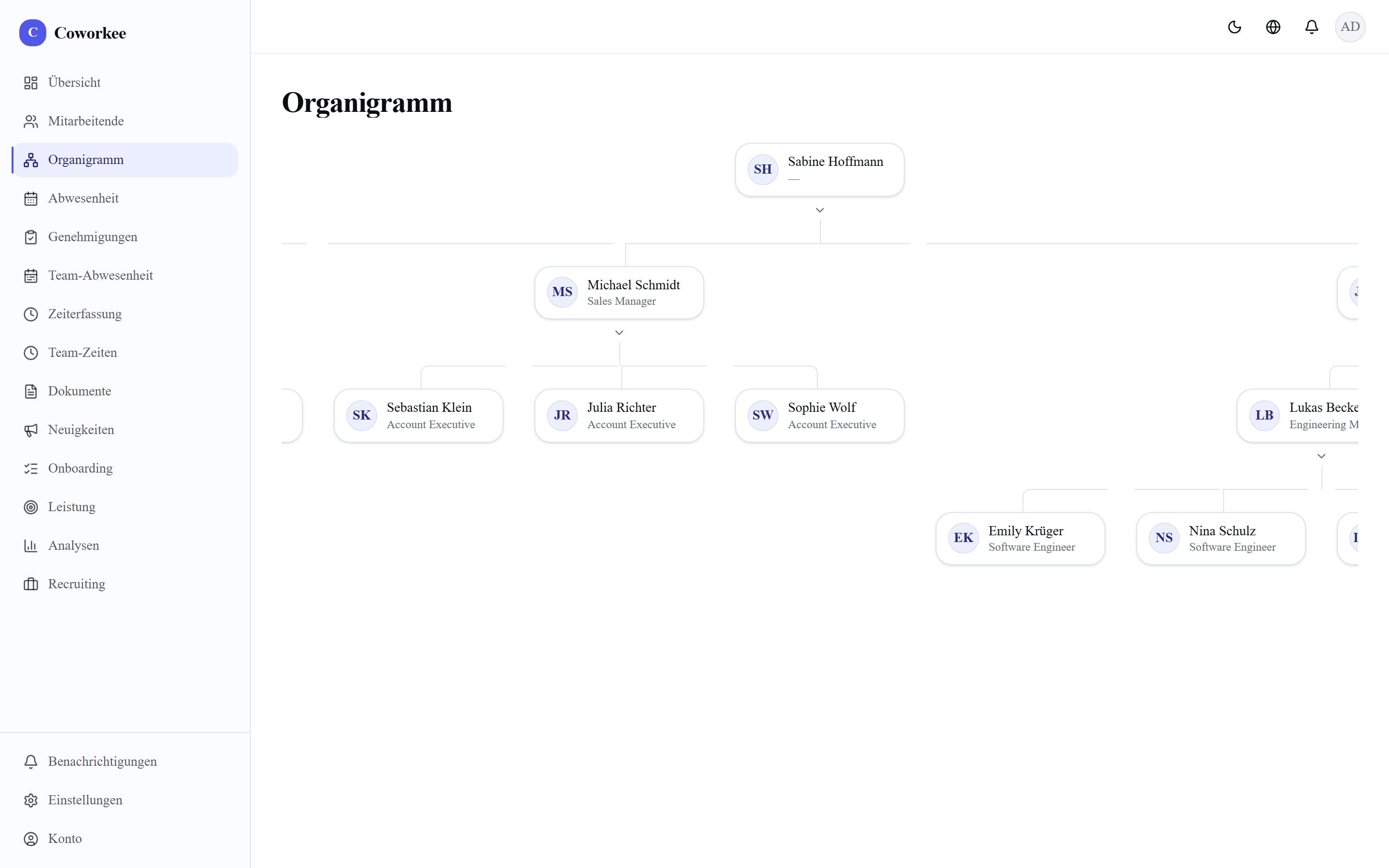
- Org chart (
/org) — a live organisational chart generated from those reporting lines. Change a manager and the chart updates.
Absence & approval workflow
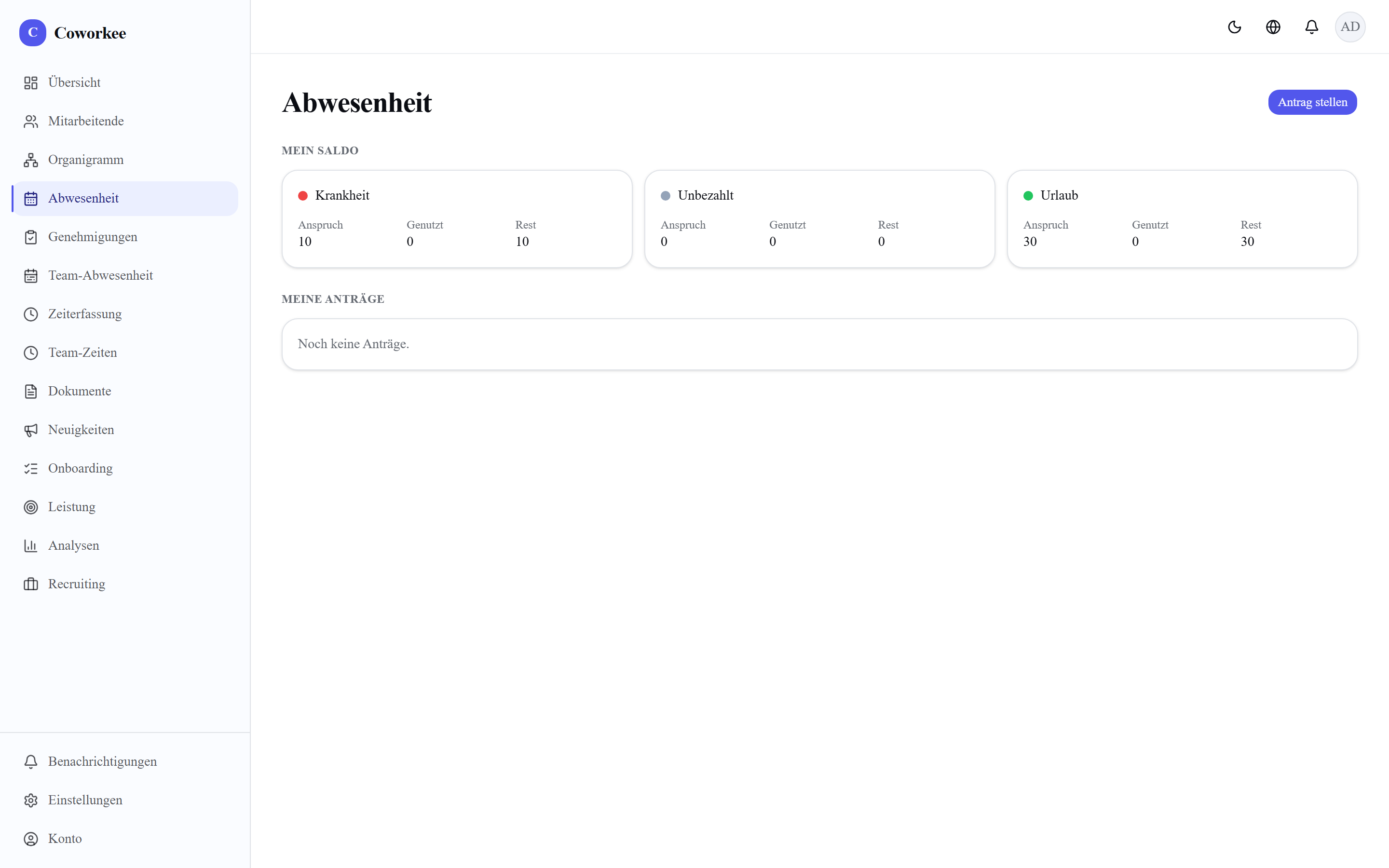
Manage leave from request through approval, with entitlements per employee.
- Entitlements — HR/Admin set each employee's leave entitlement (their annual balance). Do this before people start requesting.
- Request — an employee requests absence for a date range and type; the balance is checked.
- Approval workflow — the request goes to the approver (Manager for their team, or HR/Admin), who approves or rejects. Balances update on approval.
- Team overview — a calendar showing who is away, so overlaps are visible before approving.
Time tracking
- Clock in / out — employees record working time with start/stop.
- Weekly overview — hours per day and week totals for the individual.
- Manual entries — add or correct entries when a clock-in was missed.
- Team times — managers see their team's recorded time.
Documents
Secure, private document storage per employee — nothing here is ever served publicly.
- Private storage — files live under
storage/documents/on the server (a persistent volume), never in the public web root. - Access-guarded download — every download goes through an access check (
/api/documents/[id]); you only get files you're allowed to see. - HR upload — HR/Admin upload documents onto an employee's profile (contracts, certificates, etc.).
- Profile tab — documents appear on the employee's profile under a Documents tab.
Onboarding
Turn a repeatable checklist into a tracked process for each new hire.
- Templates — HR/Admin build reusable onboarding checklist templates (the list of tasks a new joiner needs).
- Per-employee processes — instantiate a template for a specific employee; it becomes a live process.
- Checkable tasks — tasks are ticked off as they're completed, so onboarding progress is visible at a glance.
Performance
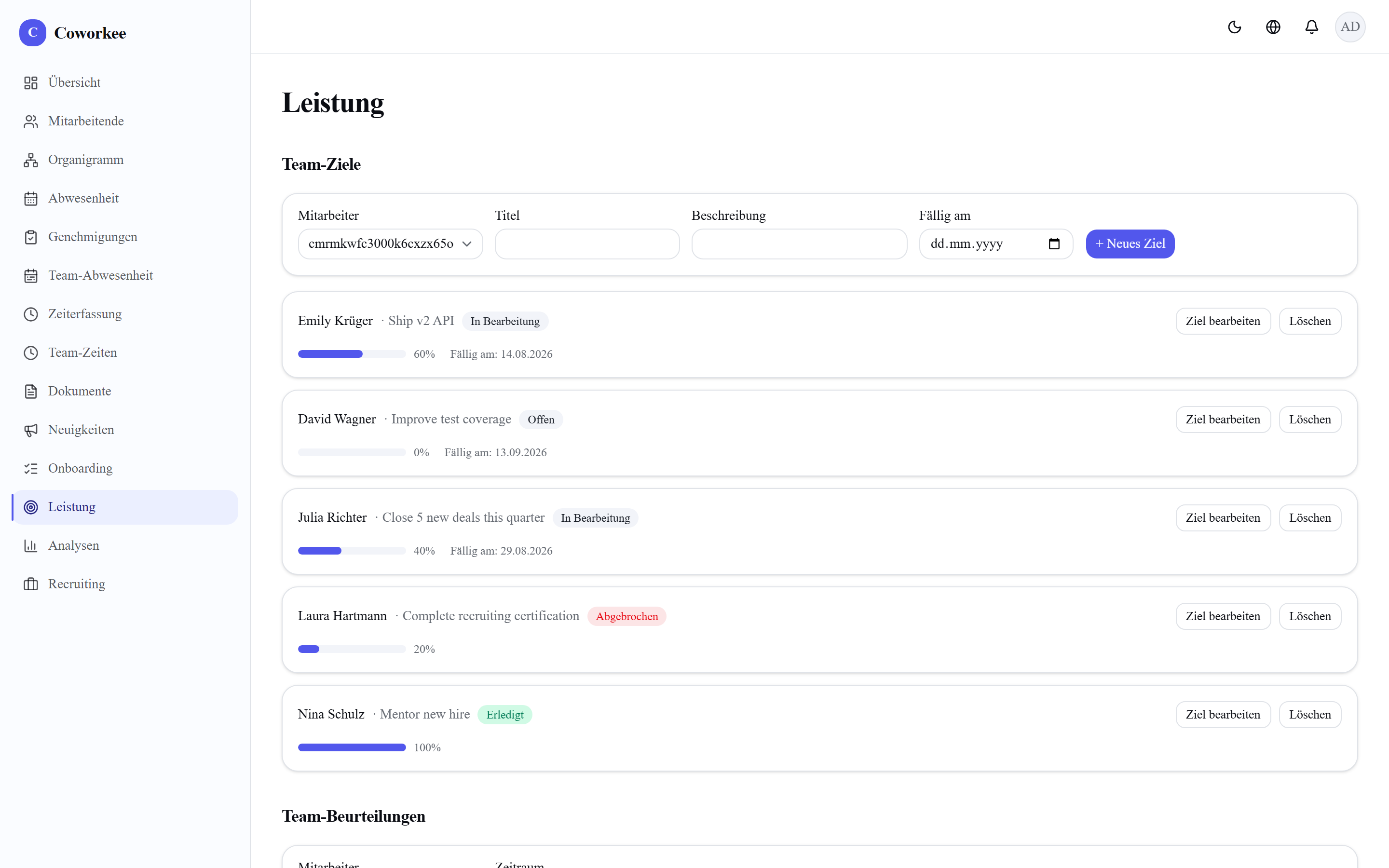
Two connected tools: goals and reviews.
- Goals — set objectives with a target; employees update their own progress (self-service), so goals stay current without a manager chasing them.
- Performance reviews — a review moves through Draft → Submitted → Acknowledged. The reviewer drafts and submits; the employee acknowledges, closing the loop.
Analytics
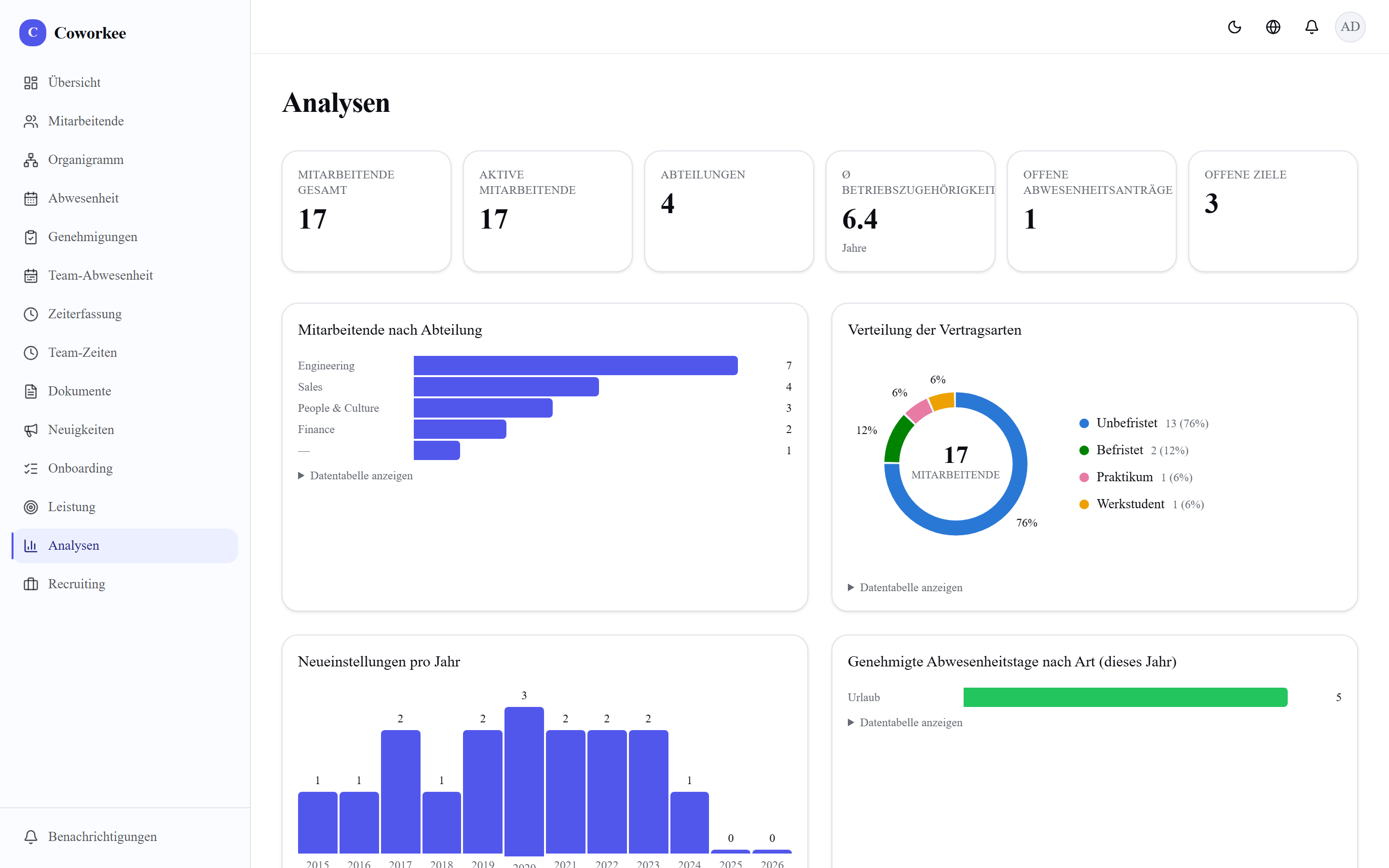
An HR dashboard (HR/Admin) with KPIs and charts:
- Headcount over time,
- Contract types breakdown,
- New hires,
- Absence days.
Use it to spot trends — growth, attrition, absence load — at a glance.
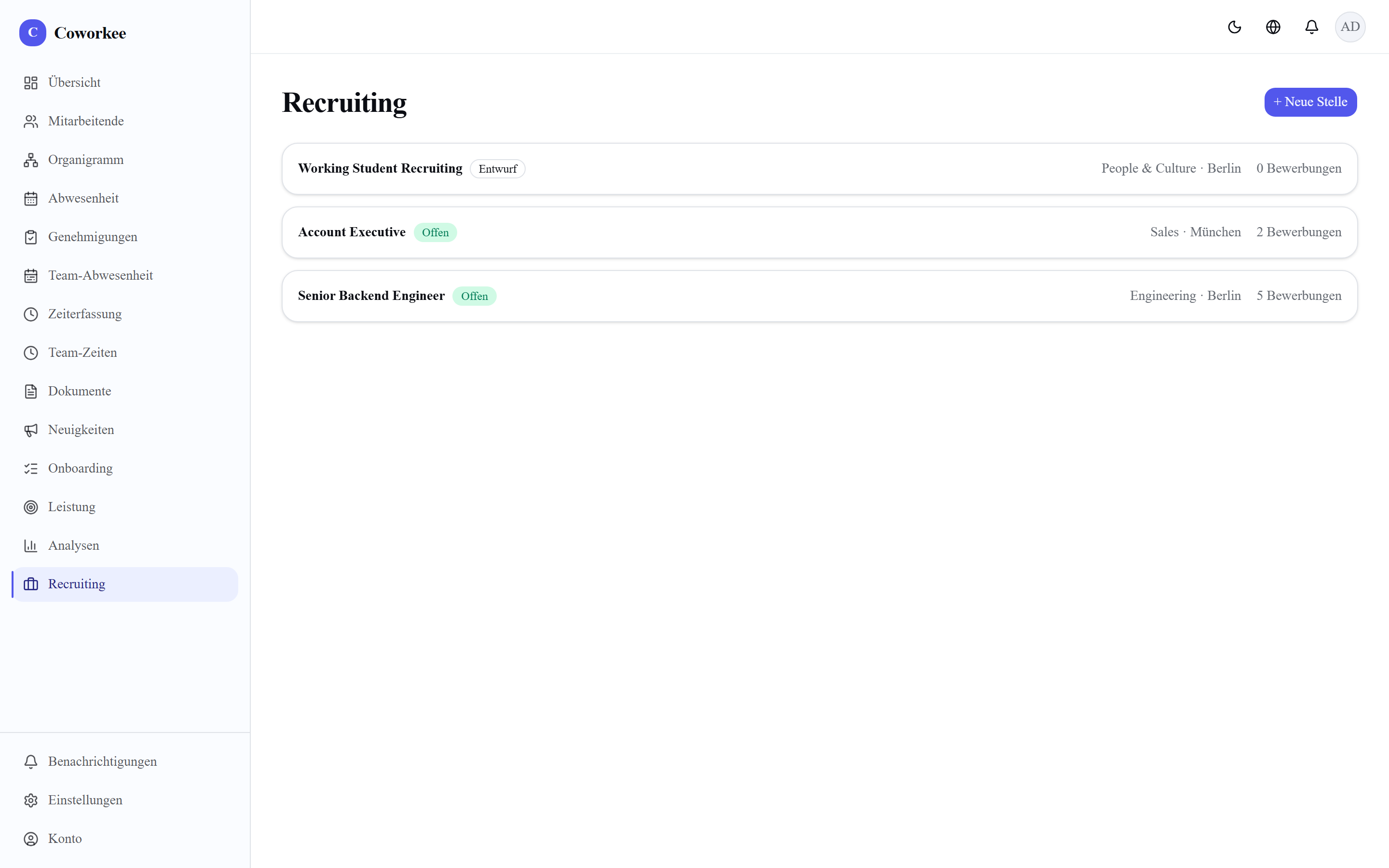
Recruiting
- Job postings — create and manage open positions.
- Applicant pipeline — a Kanban board with six stages; drag applicants along as they progress through the hiring process.
News & notifications
- Announcement feed — HR/Admin publish company news; everyone sees the feed.
- In-app notifications — the bell in the top bar surfaces notifications (new announcements, absence decisions, etc.) without email.
Conversations (1:1s & annual talks)
Configurable employee conversations (/talks), separate from the rigid performance review.
- Templates — a manager (or HR/Admin) designs a reusable agenda: sections plus typed questions (free text, 1–5 rating, yes/no). HR/Admin can publish org-wide shared templates.
- Schedule & release — a manager schedules a talk for one of their reports from a template; the agenda is snapshotted so later template edits never change a talk in flight. Releasing it makes it visible to the employee and notifies them.
- Prepare together — manager and employee each fill in their own answers side by side, then the manager closes the talk with a shared summary.
- Visibility follows the roles — you see a talk if you are its employee, its manager, or HR/Admin. So a manager who also reports to someone sees both their own talks (with their supervisor) and the ones they run. Employees never see a draft.
Surveys & pulse
Engagement and pulse surveys (/surveys), HR/Admin.
- Build — create a draft with Scale (1–5), eNPS (0–10) and free-text questions.
- Open / close — opening a survey invites everyone and locks editing; closing stops new responses.
- Anonymous by design — anonymous responses carry no identity; a separate participation marker still prevents a second submission.
- Results — aggregated per question: average and distribution for scales, an eNPS score for NPS, and the list of text answers.
Skills & succession
- Skills matrix (
/skills) — HR/Admin maintain a skill catalog. Everyone self-assesses their own skills (1–5); managers/HR rate their team, shown as a read-only matrix. - Succession (
/skills/succession, HR/Admin) — build a plan for a key role holder and add internal candidates with a readiness (ready now / 1–2 years / 3+ years).
Trainings
A lightweight LMS (/trainings).
- Course catalog — managers/HR/Admin add courses (title, provider, link).
- Assign — assign a course to an in-scope employee.
- Self status — employees move their own enrollments through Assigned → In progress → Completed.
Shifts
Shift scheduling (/shifts).
- Schedule — managers/HR/Admin create shifts for their team (date, start/end time, role, location).
- My shifts — everyone sees their own upcoming shifts.
Expenses
Expense claims with an approval flow (/expenses).
- Submit — an employee submits an expense (amount, category, date, note).
- Approve / reject — the manager (or HR/Admin) decides; the employee is notified.
- Reimburse — HR/Admin mark an approved expense as reimbursed.
Benefits
- Catalog — HR/Admin maintain a benefits catalog (active/inactive).
- Self-service — employees enroll in or leave active benefits themselves.
Assets & equipment
Company equipment inventory (/assets, HR/Admin).
- Inventory — add assets (name, category, serial number).
- Assign / return / retire — assign an asset to an employee, take it back, or retire it. Employees see My equipment — what's currently assigned to them.
Compensation
Salary tracking (/compensation) — HR/Admin only. Not a payroll engine (no tax, no payslip runs).
- Records — add compensation entries per employee (amount, currency, frequency, effective date) — this builds a salary history.
- My compensation — every employee sees their own current compensation and history; nobody else's.
E-signatures
Lightweight acknowledgement signing (/signatures) — an acknowledgement record, not a cryptographic/qualified e-signature.
- Request — a manager/HR/Admin sends a document text to a signer.
- Sign / decline — the signer types their full name to sign, or declines; the requester is notified.
Single sign-on (SSO)
Optional enterprise OIDC login (Keycloak, Entra ID, Okta, Authentik, Google Workspace, …). It is enabled only when the SSO_* environment variables are set; with none set, Coworkee uses email/password only. SSO authenticates existing users by email — it never creates new accounts. See Configuration for the environment variables.
Audit log
HR/Admin can browse the audit log at /settings/audit — who changed what, with a filter over action, entity and id.