Permissions
Permissions are strings, defined by the modules, granted to roles, groups or single users, and checked on the server and in the UI.
Defining
internal sealed class CatalogPermissionDefinitions : IPermissionDefinitionContributor
{
    public void Define(PermissionDefinitionContext context) =>
        context.Group(CatalogPermissions.GroupName, "Catalog")
            .Add(CatalogPermissions.Products.View, "View products")
            .Add(CatalogPermissions.Products.Edit, "Edit products", CatalogPermissions.Products.View);
}

services.AddSingleton<IPermissionDefinitionContributor, CatalogPermissionDefinitions>();
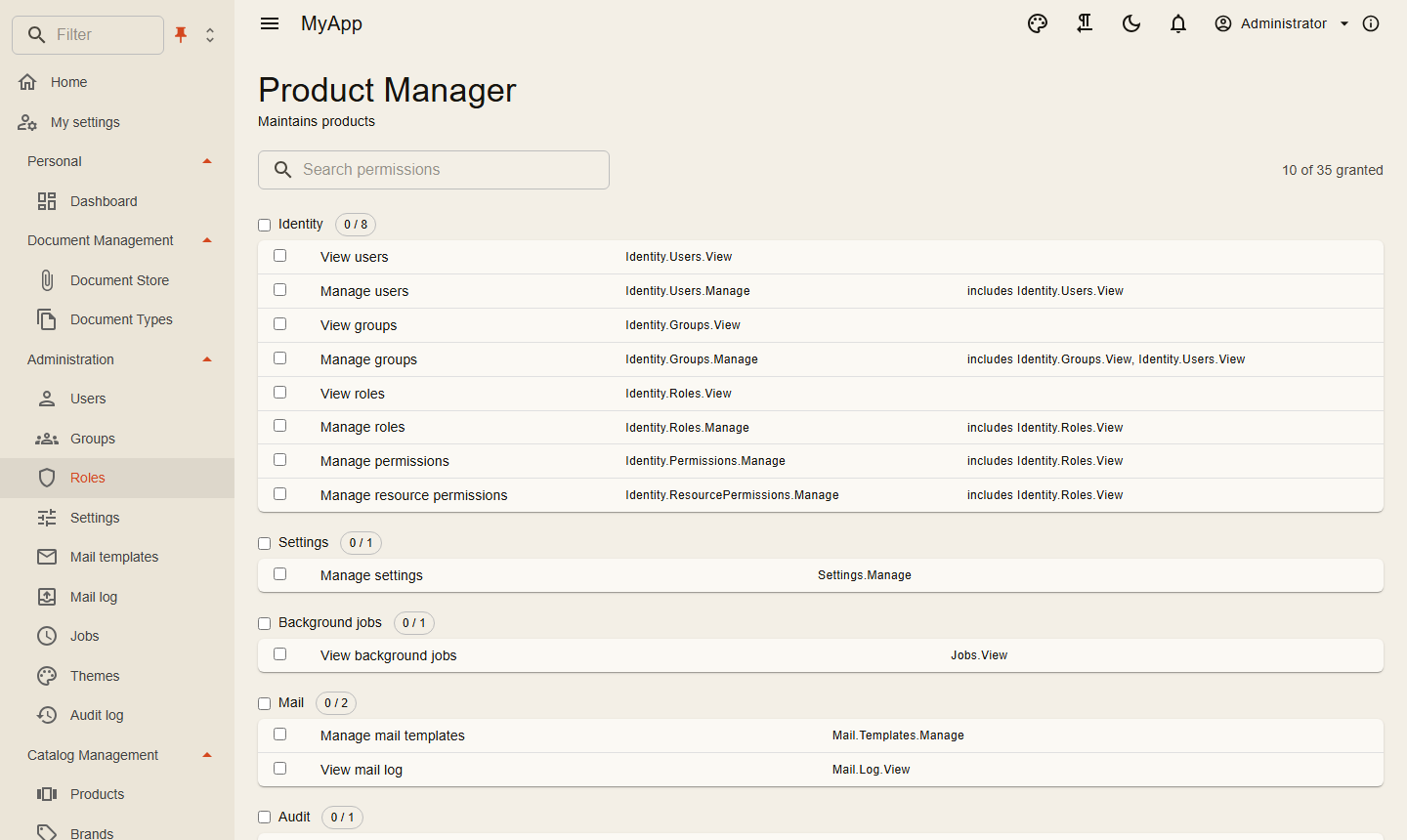
The definitions build the permission matrix in the role editor: grouped, searchable, with counts and a toggle per group.
Checking on the server
| Where | How |
|---|---|
| A request | [RequiresPermission(CatalogPermissions.Products.Delete)] on the request type |
| Inside a handler | await permissions.IsGrantedAsync(CatalogPermissions.Products.Edit, ct) with IPermissionChecker |
| A single resource | await permissions.IsGrantedAsync(permission, "Folder", folderId, ct) |
| An endpoint group | .RequireAuthorization() plus the request attribute |
| An OData set | the permission passed to AddODataEntity |
Resource grants inherit along a hierarchy you describe with IResourceHierarchy (folders in folders, for example). IResourceRestriction takes access away again for certain roles, even from holders of a global grant.
Checking in the UI
@attribute [Authorize(Policy = PermissionPolicy.Prefix + CatalogPermissions.Products.View)]

<PermissionGate Permission="@CatalogPermissions.Products.Create">
    <MudButton OnClick="CreateAsync">New product</MudButton>
</PermissionGate>
PermissionGate renders its content only with the permission; navigation entries and table buttons take a permission parameter and hide themselves. The client loads the effective permissions of the user after sign-in.
The UI only hides. The server decides.
Host-only permissions
Some permissions serve the whole installation: Features.Tenants, Features.Editions and Identity.Clients.Manage (clients and scopes). Every administrator holds them, but only the administrators of the system organisation can use them.
Seeding roles
seed.Roles.Add(new SeedRole("Product Manager", "Maintains products",
    [CatalogPermissions.Products.View, CatalogPermissions.Products.Create, CatalogPermissions.Products.Edit]));
See Persistence.