OData and facets
Every entity can be an OData set with one line. Tables, exports and external tools read through it; you write no list queries.
[DependsOn(typeof(CoworkeeODataModule))]
public sealed class MyAppCatalogModule : CoworkeeModule
{
    public override void ConfigureServices(ModuleServiceContext context)
    {
        context.Services.AddODataEntity<Brand>("Brands", CatalogPermissions.Brands.View);
        context.Services.AddODataEntity<Product>("Products", CatalogPermissions.Products.View);
    }
}
| Request | Result |
|---|---|
GET /odata/Products?$filter=Rate gt 20&$orderby=Name&$top=25&$skip=50&$count=true |
page, total count |
GET /odata/Products?$expand=Brand |
products with their brand |
GET /odata/Products({id}) |
one product |
GET /odata/Products?$select=Name,Rate |
only these columns |
The permission of the set is checked on every call, tenants and soft delete filters apply as everywhere. $top is capped at 1000 (Coworkee:OData:MaxTop); invalid queries answer 400 with problem details.
Facets
Mark the properties users should filter by:
using Nextended.Core.Facets;

public sealed class Product : AuditedEntity, IMultiTenant
{
    [ProvideFacet(Label = "Brand", ValuePath = "BrandId", LabelPath = "Brand.Name", ValueType = typeof(Guid))]
    public Guid BrandId { get; set; }

    public Brand? Brand { get; set; }
}
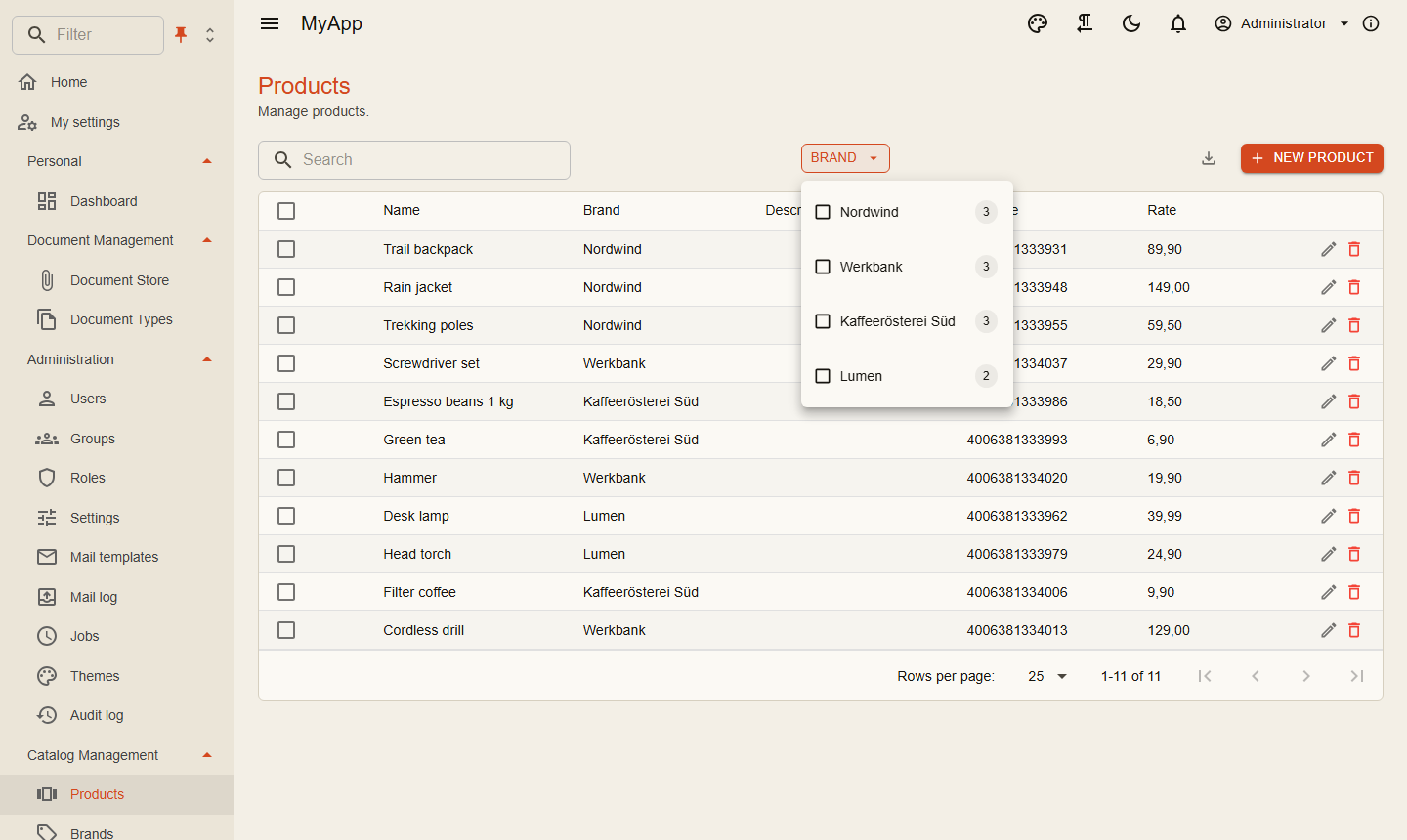
When the request asks for them with Prefer: odata.include-annotations="cn.facets", the page carries the facet groups under @cn.facets: every option with label, count and the OData filter fragment to apply. The counts follow the current filter, the same way shop filters do. Enum options carry the member name as value and filter (Status eq 'Shipped') and their [Display] name as label; [Flags] enums list each flag (Options has 'Express'). Number ranges and dates come with their smallest and largest value and a histogram of buckets. [FacetBehavior] next to [ProvideFacet], or services.ConfigureFacet<T>(...), sets the view and how values combine (any of, all of, single, with exclusion). With the Coworkee-Facets header a group counts without its own choice. CoworkeeDataTable shows them in views that fit their values.
Row level rules
Some rows are not for everyone. An entity filter narrows lists, counts, facets and single reads alike:
internal sealed class DocumentODataFilter(DocumentVisibility visibility) : IODataEntityFilter<Document>
{
    public Task<IQueryable<Document>> ApplyAsync(IQueryable<Document> query, CancellationToken cancellationToken) =>
        visibility.VisibleAsync(query, cancellationToken);
}

services.AddScoped<IODataEntityFilter<Document>, DocumentODataFilter>();
Hiding properties
Internal fields stay out of the model, so they are neither returned nor filterable:
From the Blazor client
IODataClient builds the URL and reads values, count and facets:
var page = await odata.QueryAsync<BrandDto>("Brands", new ODataQuery { OrderBy = "Name", Top = 1000, Count = false });
The BFF forwards /odata to the API with the user's token.
Client entities
Mark an entity [ClientEntity] and Blazor clients keep a copy of its set and query it locally; see Client entities.
Excel export and import
Every entity set can be exported as an Excel workbook. The export takes the same $filter, $search and $orderby as the list and respects permission, entity filters and hidden properties:
The number of rows is capped by Coworkee:OData:MaxExportRows (default 100 000).
An import turns every row of an uploaded sheet into a command. Columns map to properties by name, unknown columns are ignored. Each row runs through the pipeline on its own, so validation and permissions apply; failed rows come back with their row number:
// rows are the request type, the lambda wraps them into the command
services.AddODataImport("Brands", (AddEditBrandRequest row) => new AddEditBrandCommand(null, row));

// or the command itself is the row
services.AddODataImport<AddNoteCommand>("Notes");
POST /api/v1/data/Brands/import   (multipart, field "file")
-> { "imported": 12, "errors": [ { "row": 7, "message": "Name: must not be empty" } ] }
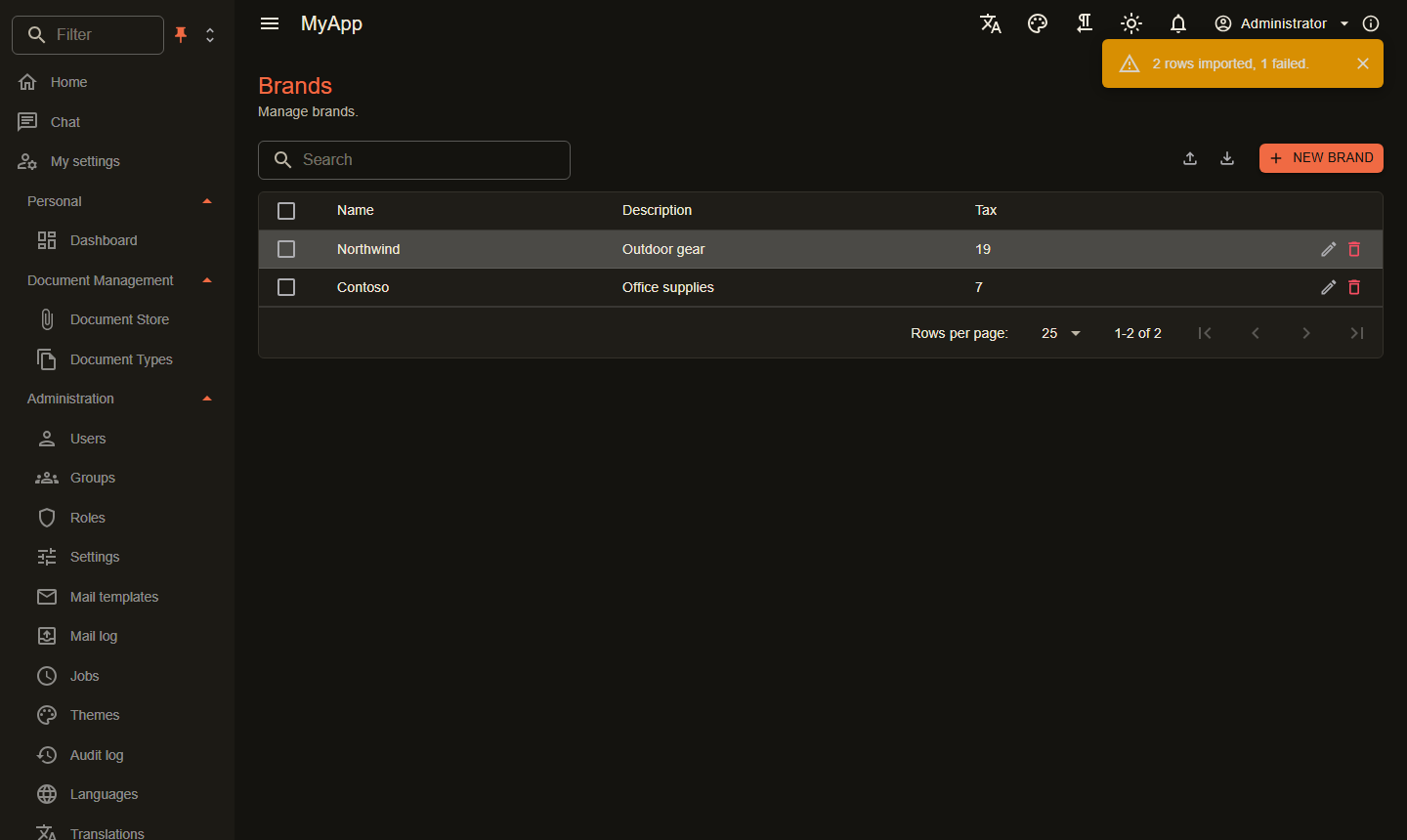
CoworkeeDataTable offers both: Excel in the export menu and an import button with Importable="true".