PowerAim Documentation
A modern, AI-powered aim alignment tool for accessibility, training, and fun — built on .NET 10 and WPF with a Fluent UI, ONNX/DirectML/CUDA inference, gamepad support, OCR, and an LLM-driven AutoPlay system.
What is PowerAim?
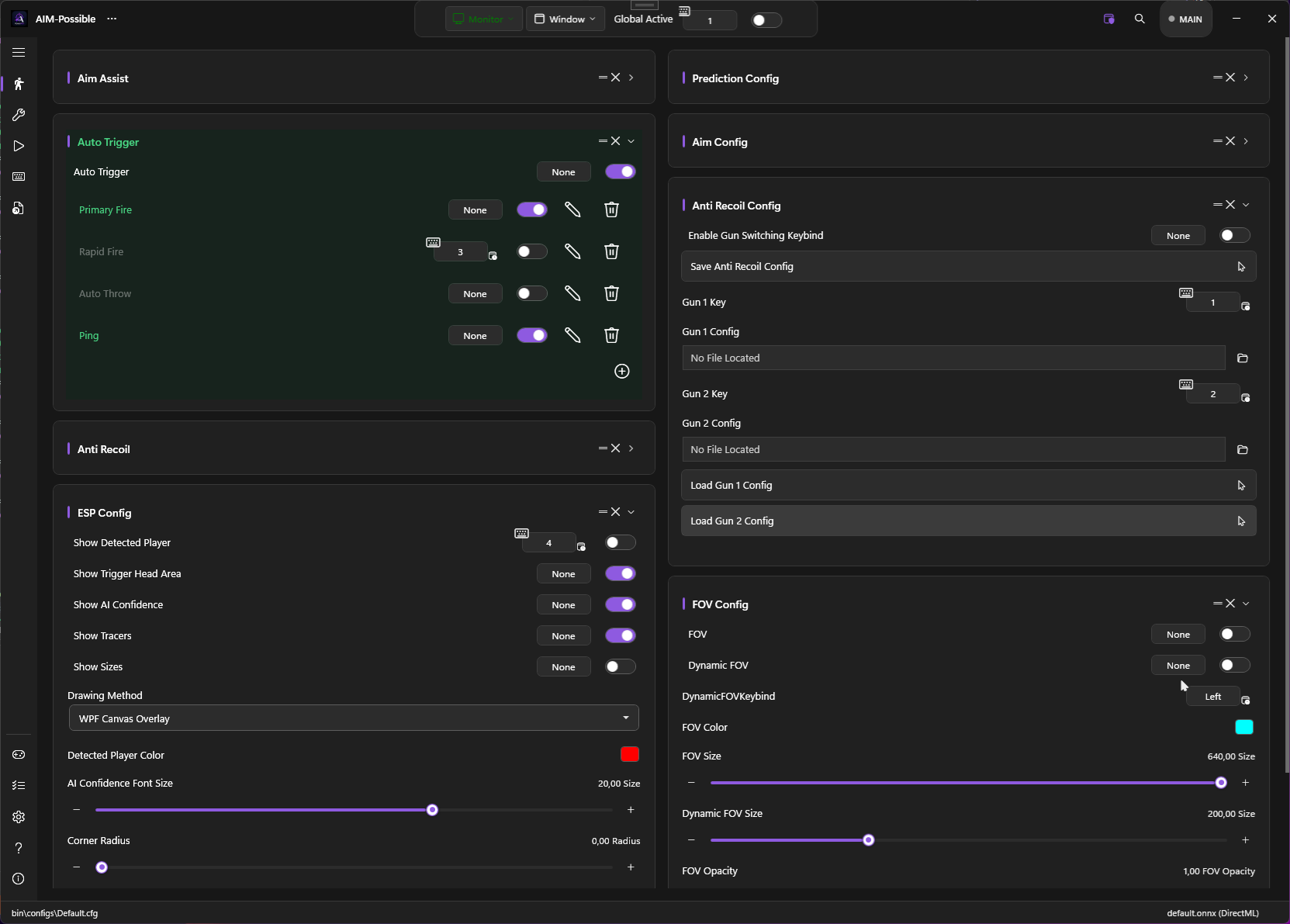
PowerAim captures the screen, runs a YOLOv8 ONNX model on the frame, and nudges the mouse (or virtual controller) toward the detected target. Everything is fully configurable, 100% local, and 100% free — no ads, no key system, no paywalled features.
It started as a fork of Babyhamsta/Aimmy but has been heavily reworked: a decoupled service architecture, a complete trigger-system overhaul, a Fluent-styled UI, gamepad / AutoPlay support, localization in 9 languages, dynamic model sizes, and a much faster capture & inference pipeline.
PowerAim is source-available under the PolyForm Noncommercial license. Commercial use, including commercial forks, is prohibited. See Source-Available.
Who is this for?
- Physically or visually impaired gamers
- Players who want to drive their pointer with the keyboard, an eye-tracker, or a single hand
- People practicing reaction time / hand-eye coordination
- Anyone training their FPS aim mechanically
- Long-session players who develop fatigue or sweaty hands
- Researchers / hobbyists interested in real-time object detection on the desktop
Quick links
| Topic | Description |
|---|---|
| Getting Started | Download, install, and land your first aim |
| Features | Every user-facing feature in detail |
| Models | Download, switch, and train your own ONNX models |
| Configuration | Settings, per-game profiles, hotkeys, config file |
| Controller Mapping | Use a KB+M to play a gamepad title (or vice versa) |
| AutoPlay | Let a local LLM play the game for you |
| Troubleshooting | When things go wrong |
How it works
flowchart LR
A[Game on screen] --> C[Screen Capture<br/>DXGI / GDI]
C --> B[YOLOv8 ONNX<br/>DirectML / CUDA]
B --> F[Prediction Filter<br/>Multi-class + Confidence]
F --> S[Sticky-Aim Selector]
S --> P[Prediction<br/>Kalman / Velocity]
P --> M[Mouse / Gamepad output]
S --> T[Trigger System]
T --> M
Each block is an independent service (ICapture, IPredictionLogic, IAction) — the capture loop, the inference pipeline, the trigger logic, and the aim/output loop communicate through clear contracts.
For more, see the Architecture overview.
Key features at a glance
- DXGI Desktop Duplication capture (~6× faster than GDI) with automatic fallback
- YOLOv8 ONNX with dynamic input sizes and per-class filtering
- DirectML and CUDA execution providers (two release builds)
- Sticky Aim target lock between frames — no flicker on overlapping detections
- 5 movement paths — Cubic Bezier, Lerp, Exponential, Adaptive, Perlin-noise jitter
- Custom 2D Kalman filter with lead-time prediction
- Complete trigger system with multi-trigger profiles, charge mode, AND/OR operators
- 3 anti-recoil modes — static patterns, recorded patterns, image-based phase correlation
- Custom crosshair, debug overlay, FOV circle, replay buffer, OCR
- Controller mapping — full reWASD-style KB↔Pad mapping engine with profile presets
- AutoPlay — Ollama-driven LLM that controls your character
- 9 languages — English, German, Spanish, French, Italian, Russian, Turkish, Ukrainian, Chinese
- Per-game profiles with foreground process matching
- Calibration wizard that measures your in-game sensitivity automatically
New to PowerAim? Jump straight to Your first aim for a 5-minute quick win.