Replay Buffer
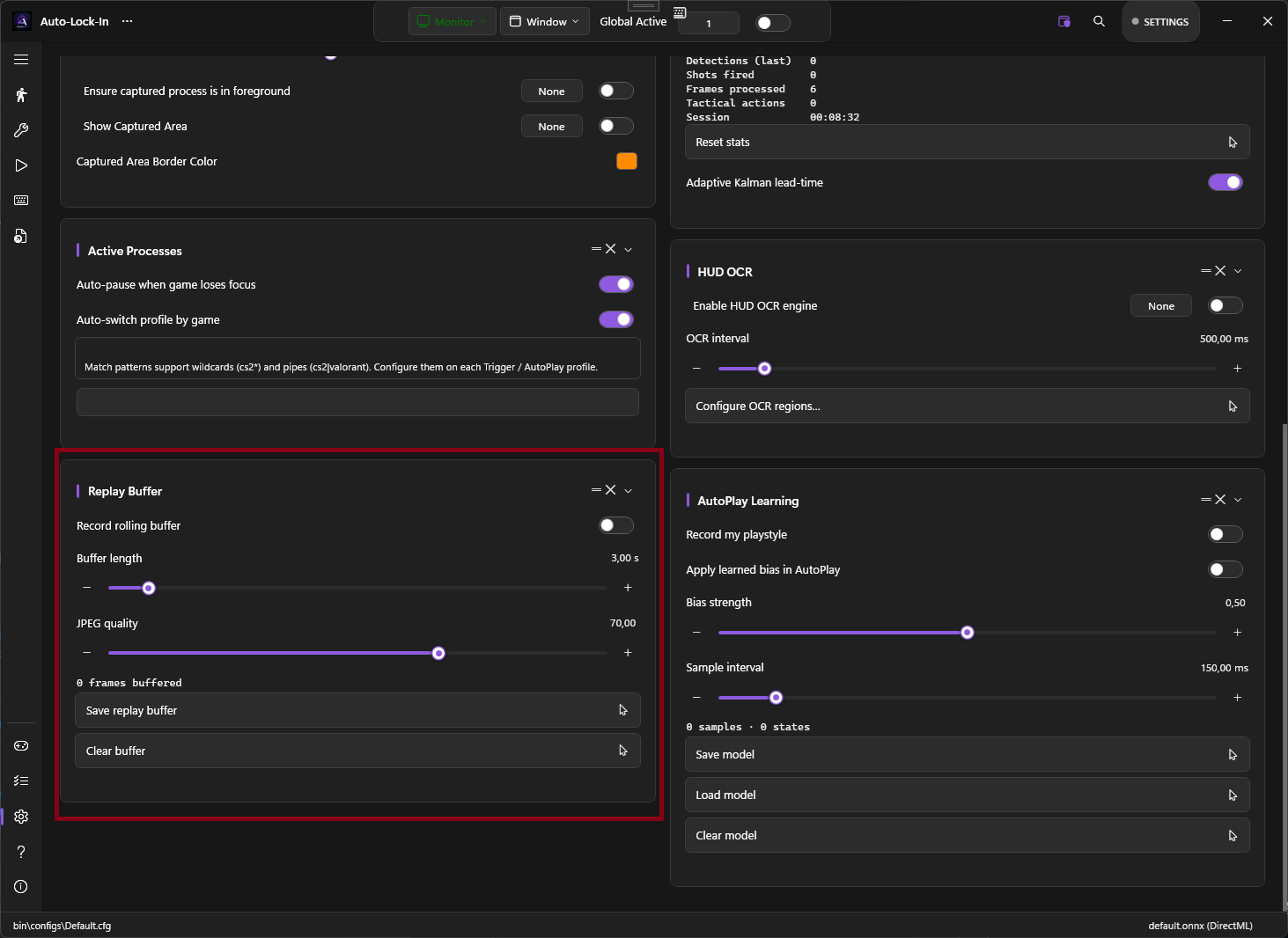
A rolling in-memory buffer of the last N seconds of captured frames and their detections. One click exports the buffer to disk as a PNG sequence plus a JSON sidecar — useful for clipping that one play, debugging a model that misses targets, or building a training dataset.
What it does
While Record Rolling Buffer is on, every captured frame is JPEG-encoded and pushed into a ring buffer sized at roughly BufferSeconds × FPS. Older frames are evicted automatically. When you click Save Replay Buffer, PowerAim writes:
%LocalAppData%\PowerAim\replays\<timestamp>\
├── frame_0001.jpg
├── frame_0002.jpg
├── ...
└── predictions.json     # bbox + class id + confidence per frame
The export folder is configurable on the same card.
How to enable
Settings → Replay Buffer → Record Rolling Buffer
A live status line under the sliders shows the current frame count: Frames buffered: 73.
Configuration options
| Setting | What it does | Default |
|---|---|---|
| Record Rolling Buffer | Master toggle | Off |
| Buffer Length | Seconds of history to keep (1–30) | 3 |
| JPEG Quality | 10–100. Lower = smaller buffer, more compression artefacts. | 70 |
| Export Folder | Optional override. Empty = %LocalAppData%\PowerAim\replays. |
empty |
3 seconds at 60 FPS at quality 70 = roughly 10–30 MB of RAM.
Tips
- Use it for bug reports. “Model misses headshots when the player crouches in shade” is much more useful with an attached 3-second replay folder.
- Use it as a training-data farm. Combined with Collect Data While Playing, the buffer’s PNGs are exactly the format MakeSense.ai wants.
- Lower quality is fine for debugging. Quality 40 still shows targets clearly and halves the RAM footprint.
- The buffer is per-session. Closing PowerAim discards anything unsaved.
Troubleshooting
- “Frames buffered: 0” — toggle is on but nothing accumulates — Global Active must also be on; the AI loop doesn’t run otherwise.
- Export fails / produces no folder — check disk space and that the export folder is writable.
- Frames are dropped — the buffer tracks
DroppedSinceLastExportinternally; if the AI loop runs much faster than the encoder, some frames get dropped to keep memory bounded. Lower JPEG quality or reduce buffer length.