Anti-Recoil
PowerAim has three independent anti-recoil engines. Only one runs at a time; the precedence is:
- Pattern playback (recorded patterns) — wins if armed and a pattern is selected
- Image-based (BETA, OpenCV crosshair tracking) — wins if “Use Image-Based” is on and no pattern is armed
- Legacy fixed X/Y compensation — fallback when neither of the above is active
What it does
While the configured Anti-Recoil Keybind is held, PowerAim applies a counter-movement to compensate for in-game recoil. The exact movement depends on which of the three modes is active.
How to enable
- Aim Tools → Anti-Recoil → toggle on
- Pick a mode:
- For patterns, toggle Use Pattern Playback and select a pattern in the Recoil Patterns dialog
- For image-based, toggle Use Image-Based Anti-Recoil (BETA)
- Otherwise, configure the X/Y sliders
- Bind the Anti-Recoil Keybind (default: Left Mouse Button)
- Optional: bind Disable Anti-Recoil Keybind to a key like
]so you can briefly suspend it
Mode 1 — Pattern playback
The strongest and most predictable mode. You record the recoil drift of a specific gun (or download one), then PowerAim replays it sample-by-sample while you fire.
See Recoil Patterns for the full record / edit / share workflow.
| Setting | What it does |
|---|---|
| Active Pattern Name | Which named pattern to replay. Empty = pattern playback disabled. |
| Pattern Strength | Scale factor on every sample (1.0 = exact, lower = dampened, higher = amplified). Useful for sharing patterns across players with different in-game sensitivities. |
Mode 2 — Image-based (BETA)
This is the experimental mode. It uses phase correlation on the captured frame to estimate how much the crosshair has drifted between frames and counter-moves accordingly — no per-gun calibration required.
| Setting | What it does |
|---|---|
| Use Image-Based Anti-Recoil | Master toggle for this mode |
| Anti-Recoil Strength | 0.0 (off) – 1.5 (over-correct). 0.85 = natural feel, 1.0 = full compensation. |
The image-based mode reads the captured frame, so it costs a small amount of inference budget. If you’re already at the edge of your GPU’s capacity, you may want to stick with pattern playback.
Mode 3 — Legacy fixed X/Y
The original Aimmy implementation: a fixed pixel offset applied every FireRate milliseconds while the anti-recoil key is held. Per-gun configuration via the AntiRecoilConfig card.
| Setting | What it does |
|---|---|
| Hold Time | How long (ms) to keep applying the offset after the trigger releases |
| Fire Rate | Interval (ms) between offset applications. Use the Record Fire Rate button to measure your gun’s actual rpm. |
| Y Recoil | Pixels to move per tick on the Y axis (positive = down — counters upward recoil) |
| X Recoil | Pixels to move per tick on the X axis (positive = right) |
Per-gun configurations
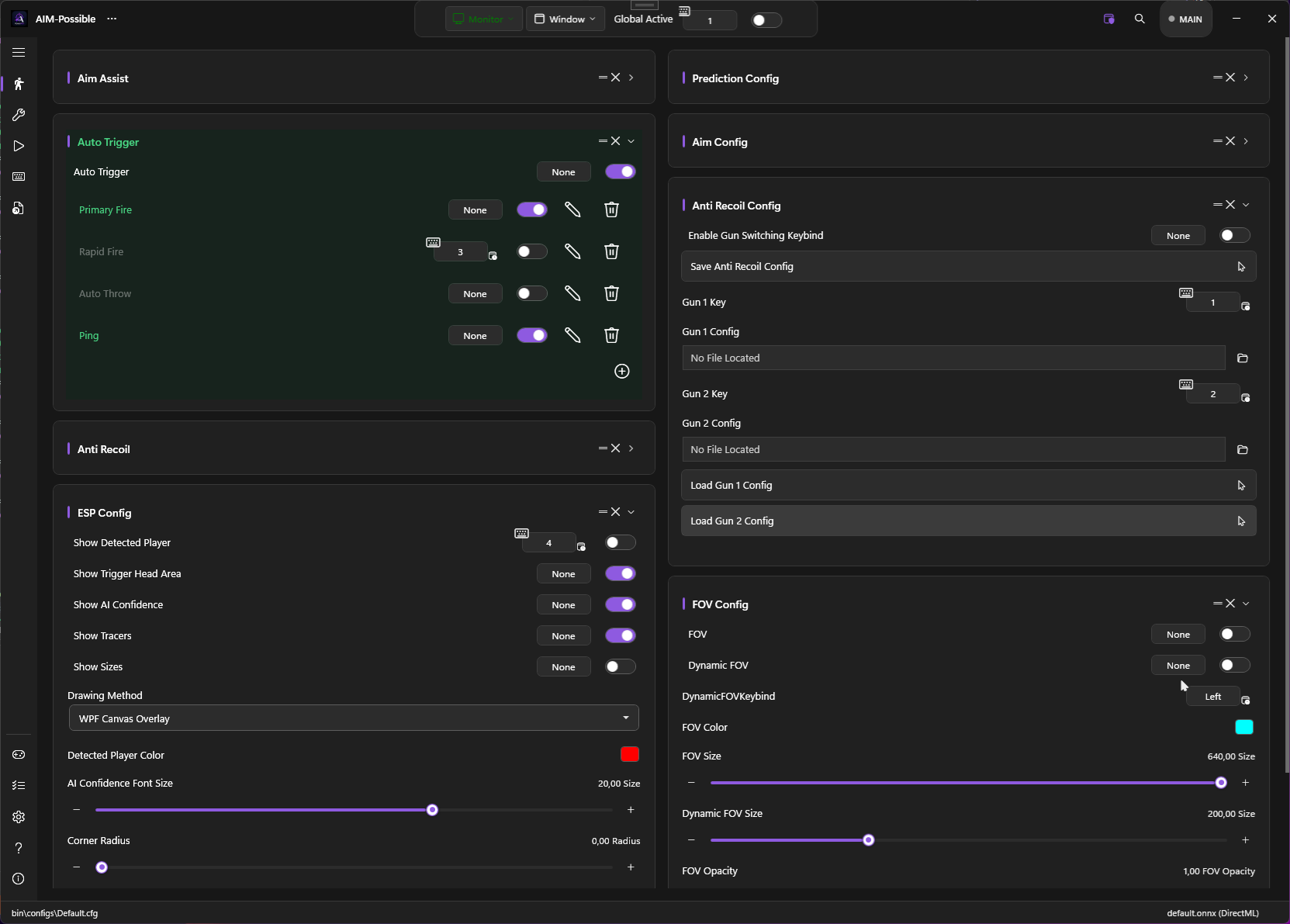
Enable the Enable Gun Switching Keybind toggle on the AntiRecoilConfig card and PowerAim watches for the bound Gun 1 / Gun 2 keys. When you press the gun-N key, the matching anti-recoil config file is auto-loaded.
Workflow:
- Configure X/Y for gun 1
- Click Save Anti-Recoil Config — choose a filename like
ak47.cfg - Bind Gun 1 Key to
1 - Repeat for gun 2 with a different filename and
Gun 2 Key - Toggle on Enable Gun Switching Keybind
In-game, pressing 1 or 2 loads the right pattern.
Tips
- Patterns beat image-based for known guns. Once you’ve recorded a gun’s pattern, replay is rock-solid.
- Image-based is great for inventory soup. When you have no idea which gun you’re holding, image-based “just works.”
- Tune pattern strength per game. Same pattern, but
PatternStrength = 0.85for one game and1.05for another, accounts for different in-game sensitivities. - Disable the legacy mode if you’re using patterns. The legacy sliders are auto-hidden when pattern playback is on; if you see them, the engine isn’t in pattern mode.
Troubleshooting
- Anti-recoil pulls down too hard → reduce
Pattern StrengthorAnti-Recoil Strength - Doesn’t follow my spray → with pattern playback, re-record the pattern at the same in-game sensitivity you’ll be playing at
- Adds visible jitter → image-based mode is sensitive to frame-to-frame noise. Try lowering Anti-Recoil Strength, or switch to a recorded pattern
- Refuses to load my saved config → confirm the file is in
bin\anti_recoil_configs\(the FileLocator next to each gun key checks that folder)