Tenants, settings and editions
public sealed class Brand : AuditedEntity, IMultiTenant
{
    public Guid TenantId { get; set; }
    public required string Name { get; set; }
}
One marker interface. From here on db.Set<Brand>() returns only the rows of the caller's organisation, because CoworkeeDbContext adds a named query filter on the current tenant to every IMultiTenant entity. On insert the TenantId is filled in from the current user, and saving a row into another tenant throws.
Entities generated by coworkee entity add carry the marker by default, and their unique indexes are unique per tenant. The template's brands do the same with their name, so two organisations can both have a brand called "Acme".
ICurrentUser holds user, tenant and permissions of the request. Background jobs and the outbox restore the user and tenant that started them. Code that has to act for someone else, a seed for example, opens a scope:
using (CurrentUserScope.Begin(new ImpersonatedUser(adminId, tenantId)))
{
    // queries and inserts run as this user and tenant
}
Cached queries are shared per tenant by default (CacheScope.Tenant).
Organisations and the host
A tenant is an organisation with a name, an identifier and an active flag. One of them is the system organisation, which runs the installation: its administrators create organisations under Administration > Tenants, optionally with a first administrator, and deactivate them. A deactivated organisation takes its users' API keys down with it.
Permissions such as Features.Tenants and Identity.Clients.Manage belong to the host. Every administrator holds them; only administrators of the system organisation can use them.
Settings at three levels
context.Group("Billing", "Billing")
    .Add("Billing.Currency", "Currency", SettingType.Choice, [SettingScope.Tenant], "EUR", choices: ["EUR", "USD", "CHF"])
    .Add("Billing.ApiKey", "API key", SettingType.Secret, [SettingScope.Global]);
Scopes are Global, Tenant and User, and the most specific value wins: an organisation can override the default language of the installation, a user can override both. Once the ISettingDefinitionContributor is registered, the setting shows up on the admin page in the tab of its scope, with no form code. Secrets are encrypted with ASP.NET Core data protection and never reach the browser.
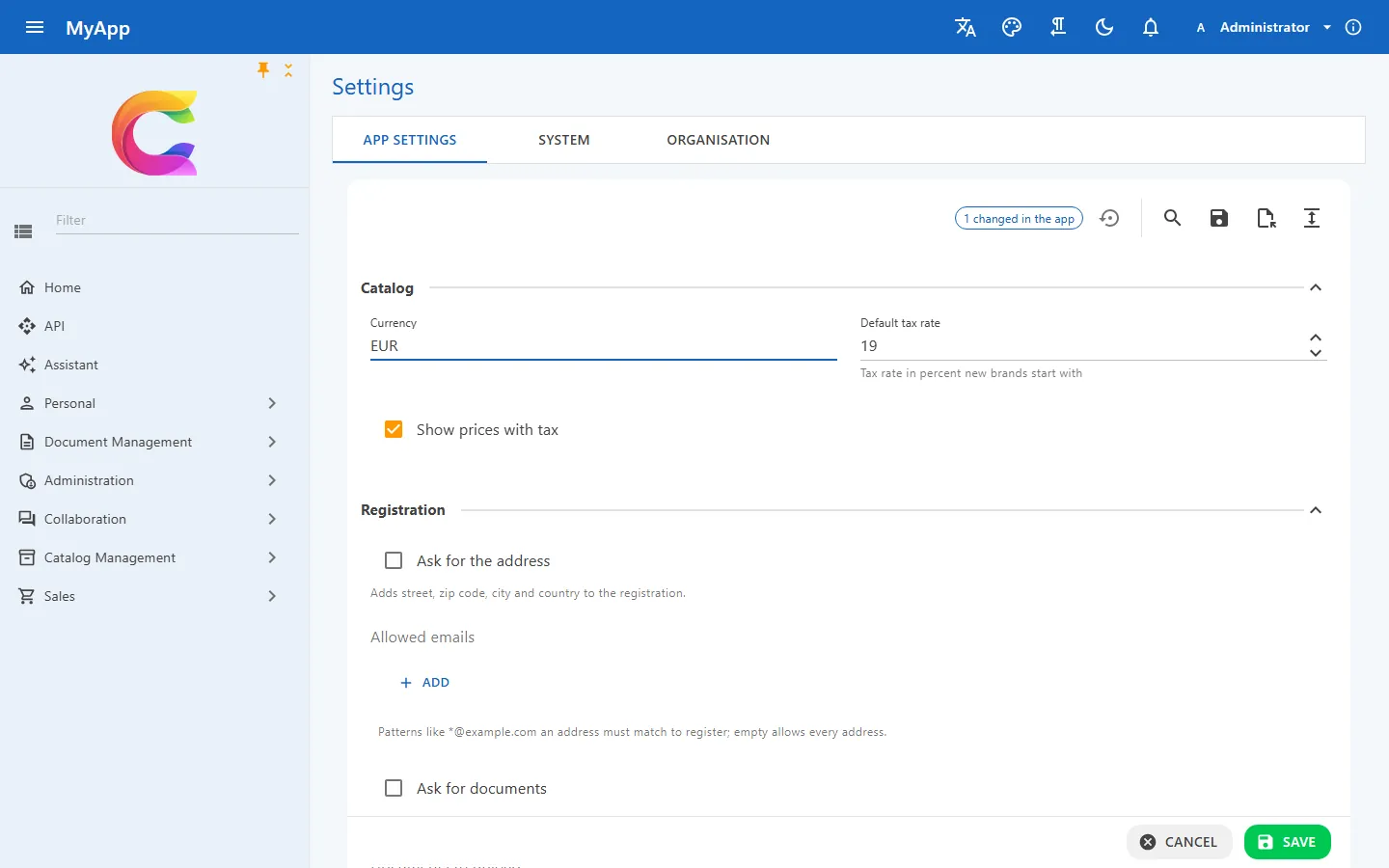
Larger blocks of configuration are a typed class instead. Values come from appsettings, and what administrators change in the app is stored in the database and read through IOptionsMonitor<T>. Rules decide what the browser may touch:
context.Services.AddCoworkeeSettings<MyAppSettings>(context.Configuration, rules => rules
    .Lock(s => s.Billing.Currency)          // shown disabled, never changed
    .Protect(s => s.Billing.WebhookUrl)     // editable once its lock button is pressed
    .Hide(s => s.Billing.WebhookSecret));   // never leaves the server
Status: version 0.0.1.x. Typed app settings apply to the whole installation only (per tenant values are plain settings), and MySQL is not supported because there is no EF Core 10 provider for it yet.
Features and editions
Coworkee.Features turns parts of the app on and off per tenant. Modules define features (Bool, Int or String), editions bundle values, and each tenant gets an edition plus its own overrides. Override first, then edition, then the default.
[RequiresFeature("Reports.Enabled")]
public sealed record CreateReport(string Name) : ICommand<Result<Guid>>;
While the feature is off, the dispatcher answers 403 with feature.disabled. In Blazor, FeatureGate and navigation items with a Feature hide what the edition doesn't include, and open clients pick up a change over realtime.
Reference: persistence, settings and app configuration, features and editions, host-only permissions.