API keys
Personal API keys let scripts and AI clients work with the app as their user: the REST endpoints, OData, the realtime hub and the MCP server. A key acts with at most the permissions of its user, and only with those it was given.
Creating a key
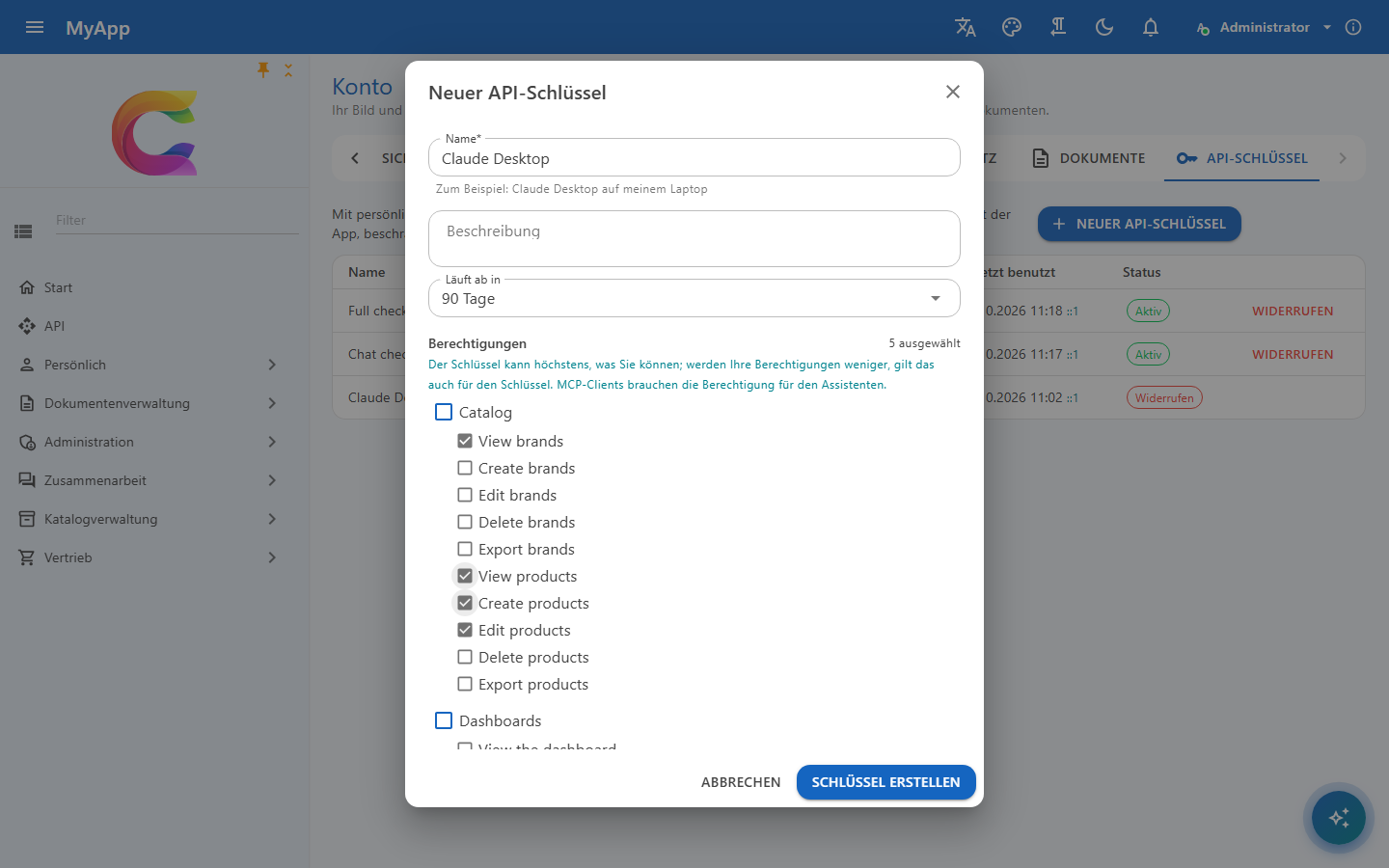
Users with ApiKeys.Create open Account > API keys and create a key with
- a name and an optional description, e.g. Claude Desktop on my laptop,
- an expiry of 7 to 365 days (the API accepts at most 366),
- the permissions of the key, picked from what the user may do right now: with an active role chosen in the app, only that role's permissions. Other permissions are not offered, and the API refuses them.
A user has at most 20 keys that are neither revoked nor expired (Coworkee:ApiKeys:MaxActivePerUser), and creating keys is rate limited (policy apiKeys, 10 per minute and user).
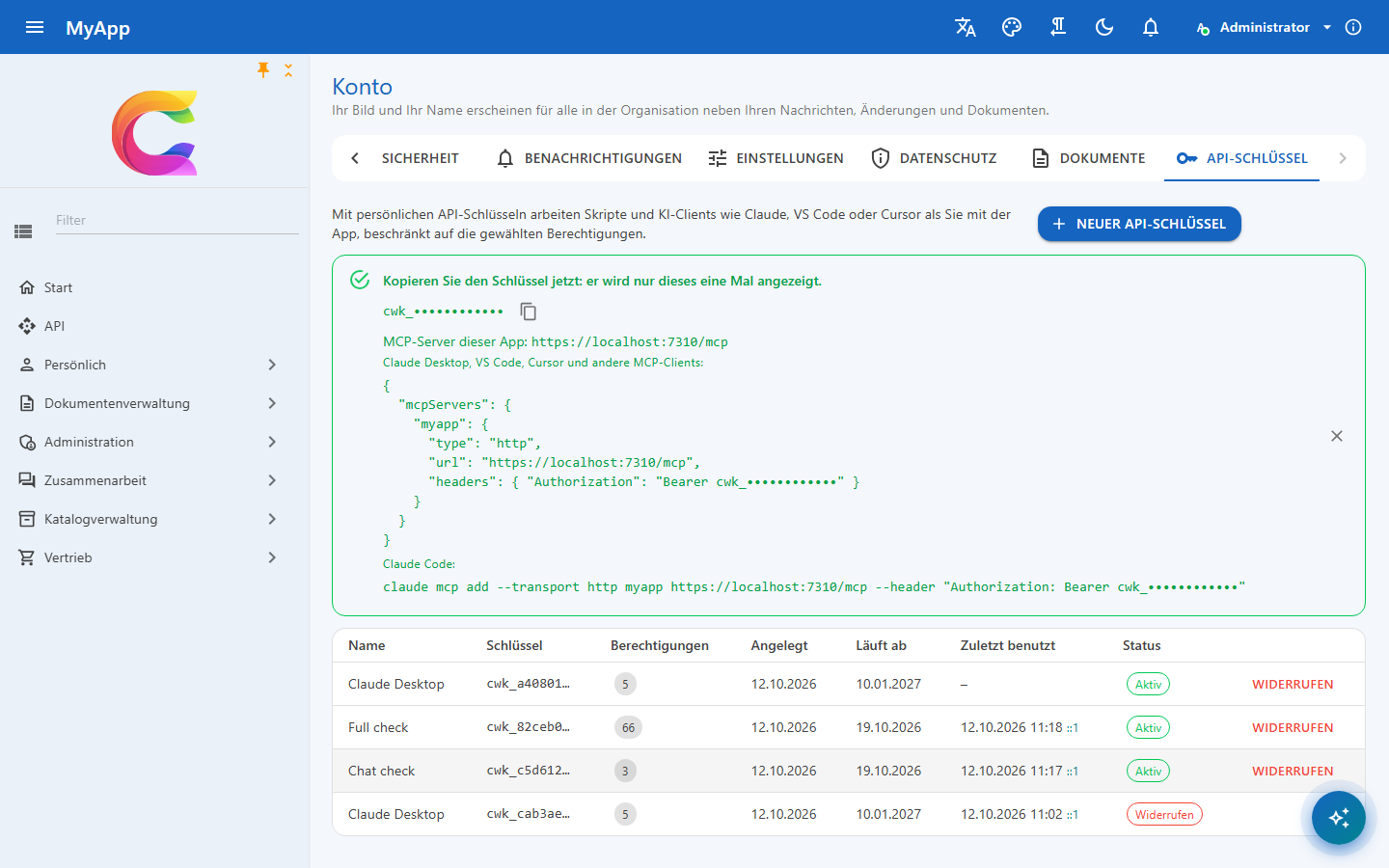
The key is shown once: cwk_ and 64 hex characters (256 random bits). The server stores only its SHA-256 hash and compares hashes in fixed time; the first 10 characters stay visible so people can tell their keys apart. A lost key cannot be shown again: revoke it and create a new one.
Using a key
curl -H "Authorization: Bearer cwk_..." https://api.myapp.example/api/v1/identity/permissions/me
curl -H "X-Api-Key: cwk_..." https://api.myapp.example/odata/Products?$top=5
Both headers work against the API host; an empty X-Api-Key header is ignored. The web host forwards /api only with the browser session (and its CSRF header), so scripts call the API address directly; the MCP server is reachable under both addresses.
AddCoworkeeApiAuthentication sets the keys up in the API host. Hosts with their own authentication, and tests, add them with services.AddCoworkeeApiKeys(): requests with a key go to the key handler, all others keep the default scheme.
What a key may do
The key's effective permissions are its permissions (with the permissions they imply) intersected with the current permissions of its user, evaluated on every request. When an administrator takes a role away from the user, the key loses it too. The key stops working at once when
- it is revoked or expired,
- its user is deactivated or locked out, or the organisation is deactivated,
- its user loses
ApiKeys.Create.
A key is never created with more than the creating session has at that moment, active role included. Later, keys ignore the active role the user picks in the app and work within all roles of the user: a key is made for a purpose, its permissions are already the narrowing, and a key that changed with every role switch in the browser would break the scripts using it. Its limits also hold inside code that acts for the caller in its own user scope.
Keys cannot create or revoke keys, also not with ApiKeys.Create among their permissions: for that the user signs in to the app. The requests for keys are never AI tools, so a key's secret never reaches a model.
Overview and audit
The list shows when and from which IP address each key was last used (updated at most once a minute). Creating and revoking keys is recorded in the audit trail; the hash of the secret never is. MCP tool calls record the key in the AI tool call audit. Rate limits count per user, whatever key is used.
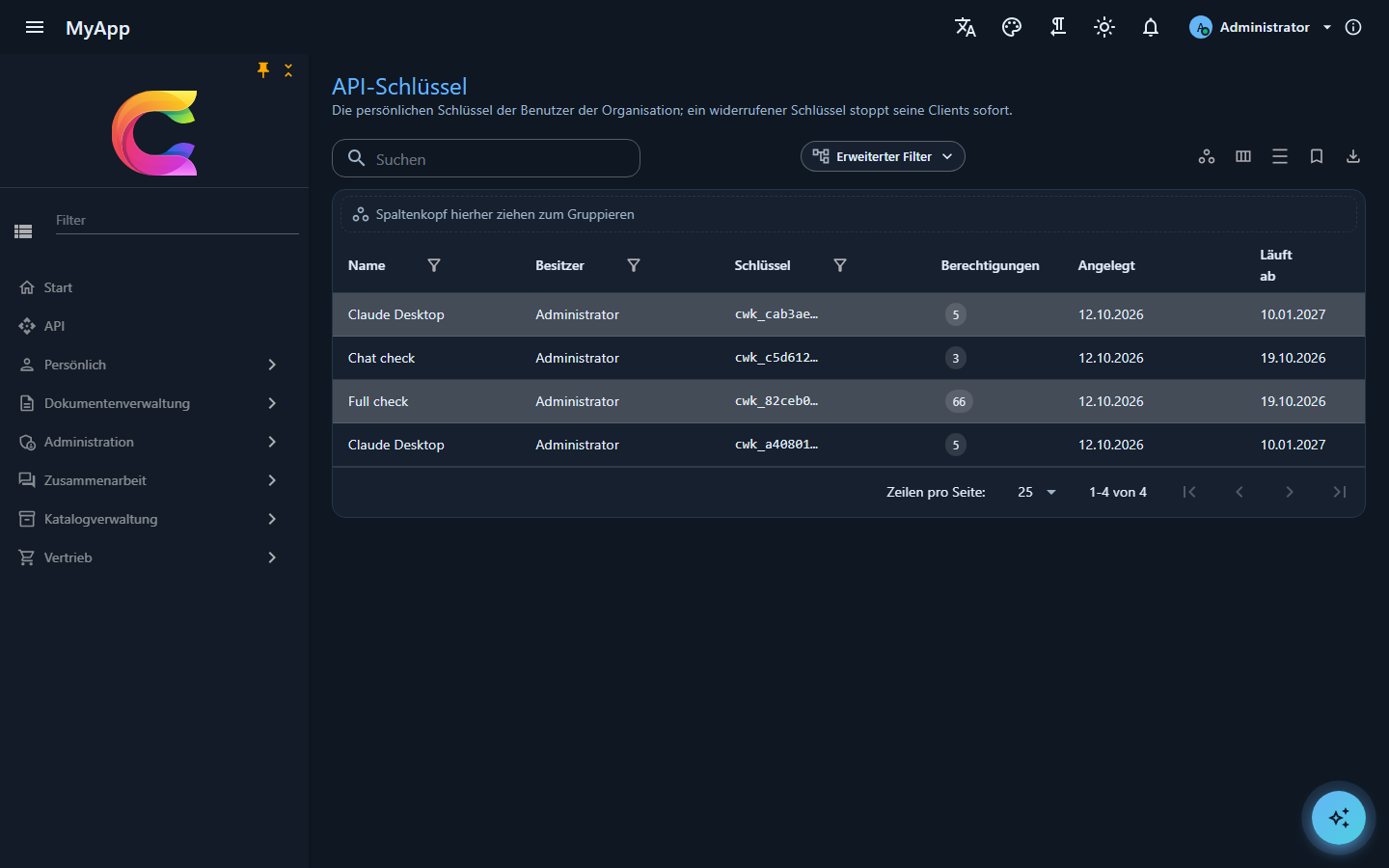
Administrators with ApiKeys.Manage (which includes ApiKeys.Create) see the keys of all users of their organisation under Administration > Identity > API keys (/admin/api-keys): owner, permissions, created, expiry, last use and status, with search, filters, export and live updates, and revoke them. Keys of other organisations stay invisible.
The personal data export of a user contains the user's keys, without secrets; deleting the account deletes them.